📊
Website monitoring
Capture production pages on a schedule and detect visual regressions, outages, or content anomalies before users do.
- →Daily homepage snapshots
- →Price change detection
- →Feature flag state verification
Product
One REST API to capture any page as PNG, JPEG, WebP, PDF, HTML, or video — with country routing, automation steps, ad blocking, and direct integrations to your cloud storage and workflows.
One request, multiple outputs: image, PDF, HTML, and video.
How it works
The ScreenshotCenter API is queue-based and async. You send a POST to /v1/screenshot with your URL and options, receive a job ID in return, and then poll or use a webhook to collect the finished output.
Jobs run inside real Chromium browsers distributed across global browser clients. Every request benefits from automatic retries, stall detection, and 5-minute timeout protection — no infrastructure to manage.
Submit the job
POST /v1/screenshot with your URL and parameters. Receive a job ID immediately.
Browser processes the page
A real Chromium instance loads the page, executes JavaScript, runs automation steps, and captures output.
Retrieve results
Poll /v1/screenshot/:id or receive a webhook. Download PNG, PDF, HTML, or video from the storage URL.
Output Formats
Combine format=png,
video=true,
pdf=true, and
html=true in a single request.
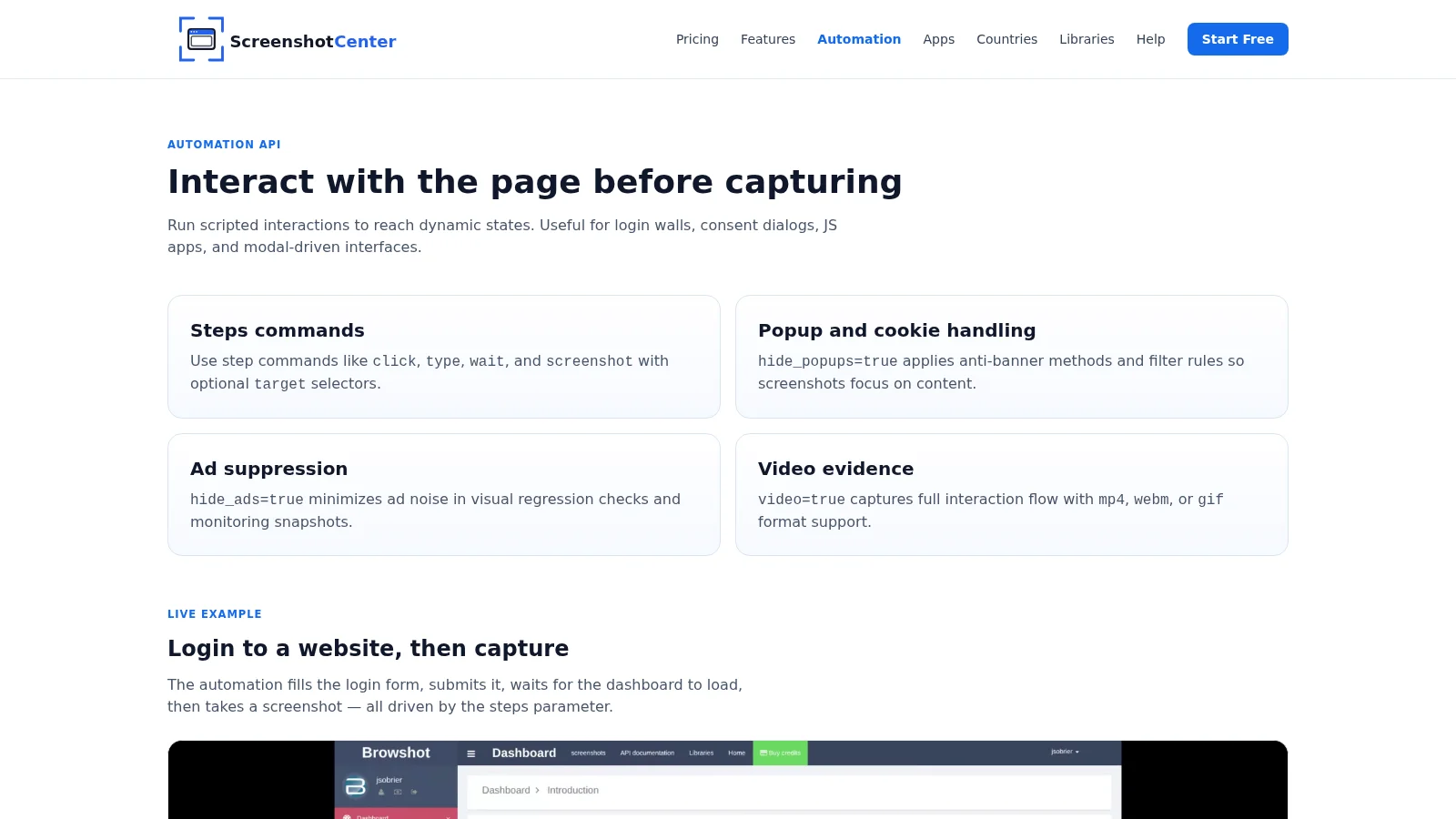
<!DOCTYPE html><html lang="en"><head><meta charset="UTF-8"><meta name="viewport" content="width=device-width, initial-scale=1.0"><title>Browser Automation Screenshot API - Interact Before Capture</title><meta name="description" content="Automate interactions before capture: click, type, wait, scroll, target element screenshot, dark mode, ads/popup blocking, and video recording."><link rel="canonical" href="https://screenshotcenter.com/automation/"><meta property="og:title" content="Browser Automation Screenshot API - Interact Before Capture"><meta property="og:description" content="Automate interactions before capture: click, type, wait, scroll, target element screenshot, dark mode, ads/popup blocking, and video recording."><meta property="og:type" content="website"><meta property="og:url" content="https://screenshotcenter.com/automation/"><meta property="og:image" content="https://screenshotcenter.com/assets/logos/screenshotcenter-square.svg"><meta name="twitter:card" content="summary_large_image"><link rel="apple-touch-icon" sizes="180x180" href="/apple-touch-icon.png"><link rel="icon" type="image/png" sizes="32x32" href="/favicon-32x32.png"><link rel="icon" type="image/png" sizes="16x16" href="/favicon-16x16.png"><link rel="icon" type="image/svg+xml" href="/favicon.svg"><link rel="shortcut icon" href="/favicon.ico"><link rel="manifest" href="/site.webmanifest"><script src="https://cdn.tailwindcss.com"></script><script>
tailwind.config = {
theme: {
extend: {
colors: {
primary: {
50: '#eff6ff',
100: '#dbeafe',
200: '#bfdbfe',
500: '#3b82f6',
600: '#146aea',
700: '#0f54bb',
900: '#0f172a'
}
}
}
}
}
</script><link rel="stylesheet" href="/assets/css/site.css"><script defer="" src="https://cdnjs.cloudflare.com/ajax/libs/flowbite/2.3.0/flowbite.min.js"></script><style>.code-card pre{margin:0;border-radius:0;font-size:.8125rem;line-height:1.65;padding:1.25rem 1.5rem!important;overflow-x:auto}.copy-btn.copied{background-color:#166534!important;color:#bbf7d0!important}
</style><style>*, ::before, ::after{--tw-border-spacing-x:0;--tw-border-spacing-y:0;--tw-translate-x:0;--tw-translate-y:0;--tw-rotate:0;--tw-skew-x:0;--tw-skew-y:0;--tw-scale-x:1;--tw-scale-y:1;--tw-pan-x: ;--tw-pan-y: ;--tw-pinch-zoom: ;--tw-scroll-snap-strictness:proximity;--tw-gradient-from-position: ;--tw-gradient-via-position: ;--tw-gradient-to-position: ;--tw-ordinal: ;--tw-slashed-zero: ;--tw-numeric-figure: ;--tw-numeric-spacing: ;--tw-numeric-fraction: ;--tw-ring-inset: ;--tw-ring-offset-width:0px;--tw-ring-offset-color:#fff;--tw-ring-color:rgb(59 130 246 / 0.5);--tw-ring-offset-shadow:0 0 #0000;--tw-ring-shadow:0 0 #0000;--tw-shadow:0 0 #0000;--tw-shadow-colored:0 0 #0000;--tw-blur: ;--tw-brightness: ;--tw-contrast: ;--tw-grayscale: ;--tw-hue-rotate: ;--tw-invert: ;--tw-saturate: ;--tw-sepia: ;--tw-drop-shadow: ;--tw-backdrop-blur: ;--tw-backdrop-brightness: ;--tw-backdrop-contrast: ;--tw-backdrop-grayscale: ;--tw-backdrop-hue-rotate: ;--tw-backdrop-invert: ;--tw-backdrop-opacity: ;--tw-backdrop-saturate: ;--tw-backdrop-sepia: ;--tw-contain-size: ;--tw-contain-layout: ;--tw-contain-paint: ;--tw-contain-style: }::backdrop{--tw-border-spacing-x:0;--tw-border-spacing-y:0;--tw-translate-x:0;--tw-translate-y:0;--tw-rotate:0;--tw-skew-x:0;--tw-skew-y:0;--tw-scale-x:1;--tw-scale-y:1;--tw-pan-x: ;--tw-pan-y: ;--tw-pinch-zoom: ;--tw-scroll-snap-strictness:proximity;--tw-gradient-from-position: ;--tw-gradient-via-position: ;--tw-gradient-to-position: ;--tw-ordinal: ;--tw-slashed-zero: ;--tw-numeric-figure: ;--tw-numeric-spacing: ;--tw-numeric-fraction: ;--tw-ring-inset: ;--tw-ring-offset-width:0px;--tw-ring-offset-color:#fff;--tw-ring-color:rgb(59 130 246 / 0.5);--tw-ring-offset-shadow:0 0 #0000;--tw-ring-shadow:0 0 #0000;--tw-shadow:0 0 #0000;--tw-shadow-colored:0 0 #0000;--tw-blur: ;--tw-brightness: ;--tw-contrast: ;--tw-grayscale: ;--tw-hue-rotate: ;--tw-invert: ;--tw-saturate: ;--tw-sepia: ;--tw-drop-shadow: ;--tw-backdrop-blur: ;--tw-backdrop-brightness: ;--tw-backdrop-contrast: ;--tw-backdrop-grayscale: ;--tw-backdrop-hue-rotate: ;--tw-backdrop-invert: ;--tw-backdrop-opacity: ;--tw-backdrop-saturate: ;--tw-backdrop-sepia: ;--tw-contain-size: ;--tw-contain-layout: ;--tw-contain-paint: ;--tw-contain-style: }/* ! tailwindcss v3.4.17 | MIT License | https://tailwindcss.com */*,::after,::before{box-sizing:border-box;border-width:0;border-style:solid;border-color:#e5e7eb}::after,::before{--tw-content:''}:host,html{line-height:1.5;-webkit-text-size-adjust:100%;-moz-tab-size:4;tab-size:4;font-family:ui-sans-serif, system-ui, sans-serif, "Apple Color Emoji", "Segoe UI Emoji", "Segoe UI Symbol", "Noto Color Emoji";font-feature-settings:normal;font-variation-settings:normal;-webkit-tap-highlight-color:transparent}body{margin:0;line-height:inherit}hr{height:0;color:inherit;border-top-width:1px}abbr:where([title]){-webkit-text-decoration:underline dotted;text-decoration:underline dotted}h1,h2,h3,h4,h5,h6{font-size:inherit;font-weight:inherit}a{color:inherit;text-decoration:inherit}b,strong{font-weight:bolder}code,kbd,pre,samp{font-family:ui-monospace, SFMono-Regular, Menlo, Monaco, Consolas, "Liberation Mono", "Courier New", monospace;font-feature-settings:normal;font-variation-settings:normal;font-size:1em}small{font-size:80%}sub,sup{font-size:75%;line-height:0;position:relative;vertical-align:baseline}sub{bottom:-.25em}sup{top:-.5em}table{text-indent:0;border-color:inherit;border-collapse:collapse}button,input,optgroup,select,textarea{font-family:inherit;font-feature-settings:inherit;font-variation-settings:inherit;font-size:100%;font-weight:inherit;line-height:inherit;letter-spacing:inherit;color:inherit;margin:0;padding:0}button,select{text-transform:none}button,input:where([type=button]),input:where([type=reset]),input:where([type=submit]){-webkit-appearance:button;background-color:transparent;background-image:none}:-moz-focusring{outline:auto}:-moz-ui-invalid{box-shadow:none}progress{vertical-align:baseline}::-webkit-inner-spin-button,::-webkit-outer-spin-button{height:auto}[type=search]{-webkit-appearance:textfield;outline-offset:-2px}::-webkit-search-decoration{-webkit-appearance:none}::-webkit-file-upload-button{-webkit-appearance:button;font:inherit}summary{display:list-item}blockquote,dd,dl,figure,h1,h2,h3,h4,h5,h6,hr,p,pre{margin:0}fieldset{margin:0;padding:0}legend{padding:0}menu,ol,ul{list-style:none;margin:0;padding:0}dialog{padding:0}textarea{resize:vertical}input::placeholder,textarea::placeholder{opacity:1;color:#9ca3af}[role=button],button{cursor:pointer}:disabled{cursor:default}audio,canvas,embed,iframe,img,object,svg,video{display:block;vertical-align:middle}img,video{max-width:100%;height:auto}[hidden]:where(:not([hidden=until-found])){display:none}.sticky{position:sticky}.top-0{top:0px}.z-50{z-index:50}.mx-auto{margin-left:auto;margin-right:auto}.-mb-px{margin-bottom:-1px}.mr-3{margin-right:0.75rem}.mt-10{margin-top:2.5rem}.mt-14{margin-top:3.5rem}.mt-2{margin-top:0.5rem}.mt-3{margin-top:0.75rem}.mt-4{margin-top:1rem}.mt-6{margin-top:1.5rem}.block{display:block}.flex{display:flex}.grid{display:grid}.hidden{display:none}.h-3\.5{height:0.875rem}.h-7{height:1.75rem}.h-\[54px\]{height:54px}.w-3\.5{width:0.875rem}.w-auto{width:auto}.w-full{width:100%}.max-w-2xl{max-width:42rem}.max-w-3xl{max-width:48rem}.max-w-7xl{max-width:80rem}.flex-1{flex:1 1 0%}.flex-shrink-0{flex-shrink:0}.flex-wrap{flex-wrap:wrap}.items-center{align-items:center}.justify-between{justify-content:space-between}.gap-1\.5{gap:0.375rem}.gap-3{gap:0.75rem}.gap-4{gap:1rem}.gap-6{gap:1.5rem}.gap-8{gap:2rem}.space-y-2 > :not([hidden]) ~ :not([hidden]){--tw-space-y-reverse:0;margin-top:calc(0.5rem * calc(1 - var(--tw-space-y-reverse)));margin-bottom:calc(0.5rem * var(--tw-space-y-reverse))}.space-y-3 > :not([hidden]) ~ :not([hidden]){--tw-space-y-reverse:0;margin-top:calc(0.75rem * calc(1 - var(--tw-space-y-reverse)));margin-bottom:calc(0.75rem * var(--tw-space-y-reverse))}.overflow-hidden{overflow:hidden}.overflow-x-auto{overflow-x:auto}.whitespace-nowrap{white-space:nowrap}.rounded{border-radius:0.25rem}.rounded-2xl{border-radius:1rem}.rounded-lg{border-radius:0.5rem}.rounded-xl{border-radius:0.75rem}.border{border-width:1px}.border-b{border-bottom-width:1px}.border-b-2{border-bottom-width:2px}.border-t{border-top-width:1px}.border-blue-400{--tw-border-opacity:1;border-color:rgb(96 165 250 / var(--tw-border-opacity, 1))}.border-slate-200{--tw-border-opacity:1;border-color:rgb(226 232 240 / var(--tw-border-opacity, 1))}.border-slate-300{--tw-border-opacity:1;border-color:rgb(203 213 225 / var(--tw-border-opacity, 1))}.border-slate-700{--tw-border-opacity:1;border-color:rgb(51 65 85 / var(--tw-border-opacity, 1))}.border-transparent{border-color:transparent}.bg-black{--tw-bg-opacity:1;background-color:rgb(0 0 0 / var(--tw-bg-opacity, 1))}.bg-primary-600{--tw-bg-opacity:1;background-color:rgb(20 106 234 / var(--tw-bg-opacity, 1))}.bg-slate-100{--tw-bg-opacity:1;background-color:rgb(241 245 249 / var(--tw-bg-opacity, 1))}.bg-slate-700{--tw-bg-opacity:1;background-color:rgb(51 65 85 / var(--tw-bg-opacity, 1))}.bg-slate-800{--tw-bg-opacity:1;background-color:rgb(30 41 59 / var(--tw-bg-opacity, 1))}.bg-slate-900{--tw-bg-opacity:1;background-color:rgb(15 23 42 / var(--tw-bg-opacity, 1))}.bg-white{--tw-bg-opacity:1;background-color:rgb(255 255 255 / var(--tw-bg-opacity, 1))}.bg-white\/90{background-color:rgb(255 255 255 / 0.9)}.object-cover{object-fit:cover}.p-6{padding:1.5rem}.px-1{padding-left:0.25rem;padding-right:0.25rem}.px-2{padding-left:0.5rem;padding-right:0.5rem}.px-3{padding-left:0.75rem;padding-right:0.75rem}.px-4{padding-left:1rem;padding-right:1rem}.px-6{padding-left:1.5rem;padding-right:1.5rem}.py-0\.5{padding-top:0.125rem;padding-bottom:0.125rem}.py-12{padding-top:3rem;padding-bottom:3rem}.py-16{padding-top:4rem;padding-bottom:4rem}.py-2{padding-top:0.5rem;padding-bottom:0.5rem}.py-2\.5{padding-top:0.625rem;padding-bottom:0.625rem}.py-4{padding-top:1rem;padding-bottom:1rem}.pt-6{padding-top:1.5rem}.text-center{text-align:center}.font-mono{font-family:ui-monospace, SFMono-Regular, Menlo, Monaco, Consolas, "Liberation Mono", "Courier New", monospace}.text-2xl{font-size:1.5rem;line-height:2rem}.text-4xl{font-size:2.25rem;line-height:2.5rem}.text-sm{font-size:0.875rem;line-height:1.25rem}.text-xl{font-size:1.25rem;line-height:1.75rem}.text-xs{font-size:0.75rem;line-height:1rem}.font-bold{font-weight:700}.font-extrabold{font-weight:800}.font-medium{font-weight:500}.font-semibold{font-weight:600}.uppercase{text-transform:uppercase}.tracking-wide{letter-spacing:0.025em}.text-blue-300{--tw-text-opacity:1;color:rgb(147 197 253 / var(--tw-text-opacity, 1))}.text-primary-600{--tw-text-opacity:1;color:rgb(20 106 234 / var(--tw-text-opacity, 1))}.text-slate-400{--tw-text-opacity:1;color:rgb(148 163 184 / var(--tw-text-opacity, 1))}.text-slate-600{--tw-text-opacity:1;color:rgb(71 85 105 / var(--tw-text-opacity, 1))}.text-slate-700{--tw-text-opacity:1;color:rgb(51 65 85 / var(--tw-text-opacity, 1))}.text-slate-900{--tw-text-opacity:1;color:rgb(15 23 42 / var(--tw-text-opacity, 1))}.text-white{--tw-text-opacity:1;color:rgb(255 255 255 / var(--tw-text-opacity, 1))}.antialiased{-webkit-font-smoothing:antialiased;-moz-osx-font-smoothing:grayscale}.shadow-sm{--tw-shadow:0 1px 2px 0 rgb(0 0 0 / 0.05);--tw-shadow-colored:0 1px 2px 0 var(--tw-shadow-color);box-shadow:var(--tw-ring-offset-shadow, 0 0 #0000), var(--tw-ring-shadow, 0 0 #0000), var(--tw-shadow)}.backdrop-blur{--tw-backdrop-blur:blur(8px);-webkit-backdrop-filter:var(--tw-backdrop-blur) var(--tw-backdrop-brightness) var(--tw-backdrop-contrast) var(--tw-backdrop-grayscale) var(--tw-backdrop-hue-rotate) var(--tw-backdrop-invert) var(--tw-backdrop-opacity) var(--tw-backdrop-saturate) var(--tw-backdrop-sepia);backdrop-filter:var(--tw-backdrop-blur) var(--tw-backdrop-brightness) var(--tw-backdrop-contrast) var(--tw-backdrop-grayscale) var(--tw-backdrop-hue-rotate) var(--tw-backdrop-invert) var(--tw-backdrop-opacity) var(--tw-backdrop-saturate) var(--tw-backdrop-sepia)}.transition{transition-property:color, background-color, border-color, fill, stroke, opacity, box-shadow, transform, filter, -webkit-text-decoration-color, -webkit-backdrop-filter;transition-property:color, background-color, border-color, text-decoration-color, fill, stroke, opacity, box-shadow, transform, filter, backdrop-filter;transition-property:color, background-color, border-color, text-decoration-color, fill, stroke, opacity, box-shadow, transform, filter, backdrop-filter, -webkit-text-decoration-color, -webkit-backdrop-filter;transition-timing-function:cubic-bezier(0.4, 0, 0.2, 1);transition-duration:150ms}.transition-colors{transition-property:color, background-color, border-color, fill, stroke, -webkit-text-decoration-color;transition-property:color, background-color, border-color, text-decoration-color, fill, stroke;transition-property:color, background-color, border-color, text-decoration-color, fill, stroke, -webkit-text-decoration-color;transition-timing-function:cubic-bezier(0.4, 0, 0.2, 1);transition-duration:150ms}.hover\:bg-primary-700:hover{--tw-bg-opacity:1;background-color:rgb(15 84 187 / var(--tw-bg-opacity, 1))}.hover\:bg-slate-600:hover{--tw-bg-opacity:1;background-color:rgb(71 85 105 / var(--tw-bg-opacity, 1))}.hover\:text-primary-600:hover{--tw-text-opacity:1;color:rgb(20 106 234 / var(--tw-text-opacity, 1))}.hover\:text-primary-700:hover{--tw-text-opacity:1;color:rgb(15 84 187 / var(--tw-text-opacity, 1))}.hover\:text-slate-200:hover{--tw-text-opacity:1;color:rgb(226 232 240 / var(--tw-text-opacity, 1))}.hover\:text-white:hover{--tw-text-opacity:1;color:rgb(255 255 255 / var(--tw-text-opacity, 1))}@media (min-width: 640px){.sm\:grid-cols-2{grid-template-columns:repeat(2, minmax(0, 1fr))}}@media (min-width: 768px){.md\:flex{display:flex}.md\:hidden{display:none}.md\:grid-cols-2{grid-template-columns:repeat(2, minmax(0, 1fr))}}@media (min-width: 1024px){.lg\:grid-cols-3{grid-template-columns:repeat(3, minmax(0, 1fr))}}</style></head> <body class="bg-white antialiased"> <header class="border-b border-slate-200 bg-white/90 backdrop-blur sticky top-0 z-50"> <nav class="mx-auto max-w-7xl px-6 py-4"> <div class="flex items-center justify-between gap-6"> <a href="/" class="flex items-center gap-3"> <img src="/assets/logos/screenshotcenter-full.svg" alt="ScreenshotCenter" class="h-[54px] w-auto"> </a> <button type="button" class="md:hidden rounded-lg border border-slate-300 px-3 py-2 text-slate-700" data-mobile-toggle="">Menu</button> <div class="hidden md:flex items-center gap-6 text-sm text-slate-700"> <a data-nav-link="" href="/pricing/">Pricing</a><a data-nav-link="" href="/features/">Features</a><a data-nav-link="" href="/automation/" class="text-primary-600 font-semibold">Automation</a><a data-nav-link="" href="/apps/">Apps</a><a data-nav-link="" href="/countries/">Countries</a><a data-nav-link="" href="/libraries/">Libraries</a><a data-nav-link="" href="/help/">Help</a> <a href="https://app.screenshotcenter.com/signup" class="rounded-lg bg-primary-600 px-4 py-2 font-semibold text-white hover:bg-primary-700">Start Free</a> </div> </div> <div class="hidden mt-4 space-y-3 md:hidden" data-mobile-menu=""> <a class="block" data-nav-link="" href="/pricing/">Pricing</a><a class="block" data-nav-link="" href="/features/">Features</a><a class="block text-primary-600 font-semibold" data-nav-link="" href="/automation/">Automation</a><a class="block" data-nav-link="" href="/apps/">Apps</a><a class="block" data-nav-link="" href="/countries/">Countries</a><a class="block" data-nav-link="" href="/libraries/">Libraries</a><a class="block" data-nav-link="" href="/help/">Help</a> <a class="block rounded-lg bg-primary-600 px-4 py-2 font-semibold text-white text-center" href="https://app.screenshotcenter.com/signup">Start Free</a> </div> </nav> </header> <main> <section class="mx-auto max-w-7xl px-6 py-16"><p class="kicker text-primary-600">Automation API</p><h1 class="mt-3 text-4xl font-extrabold">Interact with the page before capturing</h1><p class="mt-4 max-w-3xl text-slate-600">Run scripted interactions to reach dynamic states. Useful for login walls, consent dialogs, JS apps, and modal-driven interfaces.</p><section class="mt-10 grid gap-4 md:grid-cols-2"><article class="feature-panel rounded-2xl p-6"><h2 class="font-bold text-xl">Steps commands</h2><p class="mt-2 text-slate-600">Use step commands like <code>click</code>, <code>type</code>, <code>wait</code>, and <code>screenshot</code> with optional <code>target</code> selectors.</p></article><article class="feature-panel rounded-2xl p-6"><h2 class="font-bold text-xl">Popup and cookie handling</h2><p class="mt-2 text-slate-600"><code>hide_popups=true</code> applies anti-banner methods and filter rules so screenshots focus on content.</p></article><article class="feature-panel rounded-2xl p-6"><h2 class="font-bold text-xl">Ad suppression</h2><p class="mt-2 text-slate-600"><code>hide_ads=true</code> minimizes ad noise in visual regression checks and monitoring snapshots.</p></article><article class="feature-panel rounded-2xl p-6"><h2 class="font-bold text-xl">Video evidence</h2><p class="mt-2 text-slate-600"><code>video=true</code> captures full interaction flow with <code>mp4</code>, <code>webm</code>, or <code>gif</code> format support.</p></article></section><!-- Demo GIF: login automation --><div class="mt-14"><p class="kicker text-primary-600">Live example</p><h2 class="mt-3 text-2xl font-bold">Login to a website, then capture</h2><p class="mt-3 max-w-2xl text-slate-600">
The automation fills the login form, submits it, waits for the dashboard to load, then takes a screenshot — all driven by the steps parameter.
</p><div class="mt-6 overflow-hidden rounded-2xl border border-slate-200 bg-black shadow-sm"><video src="/assets/media/automation-steps.webm" autoplay="" loop="" muted="" playsinline="" class="w-full object-cover"></video></div></div><!-- Demo: page interaction --><div class="mt-14"><p class="kicker text-primary-600">Live example</p><h2 class="mt-3 text-2xl font-bold">Interact with dynamic page elements</h2><p class="mt-3 max-w-2xl text-slate-600">
Trigger chart tooltips, run searches, expand tree nodes, open drawers — any interaction a real user would perform. Capture the exact state you need, not just the initial page load.
</p><div class="mt-6 overflow-hidden rounded-2xl border border-slate-200 bg-black shadow-sm"><video src="/assets/media/automation-site.webm" autoplay="" loop="" muted="" playsinline="" class="w-full object-cover"></video></div></div><!-- Code examples --><div class="mt-14"><p class="kicker text-primary-600">Code example</p><h2 class="mt-3 text-2xl font-bold">Run automation steps in your language of choice</h2><p class="mt-3 max-w-2xl text-slate-600">
Every SDK supports the full <code class="rounded bg-slate-100 px-1 py-0.5 text-sm font-mono">steps</code> parameter. Submit the job and poll or use a webhook to collect the result.
</p><div class="mt-6 code-card rounded-xl border border-slate-700 overflow-hidden bg-slate-900" data-code-group="automation"><div class="flex items-center bg-slate-800 border-b border-slate-700"><div class="flex overflow-x-auto flex-1 -mb-px"><button type="button" data-tab="curl" data-group="automation" class="code-tab flex items-center gap-1.5 px-4 py-2.5 text-xs font-medium whitespace-nowrap border-b-2 transition-colors border-blue-400 text-blue-300"><img src="https://cdn.simpleicons.org/curl/073551" class="h-3.5 w-3.5 flex-shrink-0" alt="" aria-hidden="true">curl</button><button type="button" data-tab="js" data-group="automation" class="code-tab flex items-center gap-1.5 px-4 py-2.5 text-xs font-medium whitespace-nowrap border-b-2 transition-colors border-transparent text-slate-400 hover:text-slate-200"><img src="https://cdn.simpleicons.org/javascript/F7DF1E" class="h-3.5 w-3.5 flex-shrink-0" alt="" aria-hidden="true">JavaScript</button><button type="button" data-tab="python" data-group="automation" class="code-tab flex items-center gap-1.5 px-4 py-2.5 text-xs font-medium whitespace-nowrap border-b-2 transition-colors border-transparent text-slate-400 hover:text-slate-200"><img src="https://cdn.simpleicons.org/python/3776AB" class="h-3.5 w-3.5 flex-shrink-0" alt="" aria-hidden="true">Python</button><button type="button" data-tab="php" data-group="automation" class="code-tab flex items-center gap-1.5 px-4 py-2.5 text-xs font-medium whitespace-nowrap border-b-2 transition-colors border-transparent text-slate-400 hover:text-slate-200"><img src="https://cdn.simpleicons.org/php/777BB4" class="h-3.5 w-3.5 flex-shrink-0" alt="" aria-hidden="true">PHP</button><button type="button" data-tab="go" data-group="automation" class="code-tab flex items-center gap-1.5 px-4 py-2.5 text-xs font-medium whitespace-nowrap border-b-2 transition-colors border-transparent text-slate-400 hover:text-slate-200"><img src="https://cdn.simpleicons.org/go/00ADD8" class="h-3.5 w-3.5 flex-shrink-0" alt="" aria-hidden="true">Go</button><button type="button" data-tab="ruby" data-group="automation" class="code-tab flex items-center gap-1.5 px-4 py-2.5 text-xs font-medium whitespace-nowrap border-b-2 transition-colors border-transparent text-slate-400 hover:text-slate-200"><img src="https://cdn.simpleicons.org/ruby/CC342D" class="h-3.5 w-3.5 flex-shrink-0" alt="" aria-hidden="true">Ruby</button><button type="button" data-tab="java" data-group="automation" class="code-tab flex items-center gap-1.5 px-4 py-2.5 text-xs font-medium whitespace-nowrap border-b-2 transition-colors border-transparent text-slate-400 hover:text-slate-200"><img src="https://cdn.simpleicons.org/openjdk/ED8B00" class="h-3.5 w-3.5 flex-shrink-0" alt="" aria-hidden="true">Java</button><button type="button" data-tab="csharp" data-group="automation" class="code-tab flex items-center gap-1.5 px-4 py-2.5 text-xs font-medium whitespace-nowrap border-b-2 transition-colors border-transparent text-slate-400 hover:text-slate-200"><img src="https://cdn.simpleicons.org/dotnet/512BD4" class="h-3.5 w-3.5 flex-shrink-0" alt="" aria-hidden="true">C#</button></div><button type="button" data-copy-group="automation" class="copy-btn flex-shrink-0 mr-3 text-xs font-medium text-slate-400 hover:text-white bg-slate-700 hover:bg-slate-600 rounded px-2 py-0.5 transition-colors">Copy</button></div><div data-panel="curl" data-group="automation" class="code-panel "><pre class="astro-code github-dark" style="background-color:#24292e;color:#e1e4e8; overflow-x: auto;" tabindex="0" data-language="bash"><code><span class="line"><span style="color:#B392F0">curl</span><span style="color:#79B8FF"> -X</span><span style="color:#9ECBFF"> POST</span><span style="color:#9ECBFF"> https://api.screenshotcenter.com/v1/screenshot</span><span style="color:#79B8FF"> \</span></span>
<span class="line"><span style="color:#79B8FF"> -H</span><span style="color:#9ECBFF"> "X-API-KEY: YOUR_API_KEY"</span><span style="color:#79B8FF"> \</span></span>
<span class="line"><span style="color:#79B8FF"> -H</span><span style="color:#9ECBFF"> "Content-Type: application/json"</span><span style="color:#79B8FF"> \</span></span>
<span class="line"><span style="color:#79B8FF"> -d</span><span style="color:#9ECBFF"> '{</span></span>
<span class="line"><span style="color:#9ECBFF"> "url": "https://example.com/dashboard",</span></span>
<span class="line"><span style="color:#9ECBFF"> "country": "us",</span></span>
<span class="line"><span style="color:#9ECBFF"> "steps": [</span></span>
<span class="line"><span style="color:#9ECBFF"> { "command": "click", "selector": "#login-btn" },</span></span>
<span class="line"><span style="color:#9ECBFF"> { "command": "type", "selector": "#email", "value": "user@example.com" },</span></span>
<span class="line"><span style="color:#9ECBFF"> { "command": "type", "selector": "#password", "value": "secret" },</span></span>
<span class="line"><span style="color:#9ECBFF"> { "command": "click", "selector": "button[type=submit]" },</span></span>
<span class="line"><span style="color:#9ECBFF"> { "command": "wait", "value": 1500 },</span></span>
<span class="line"><span style="color:#9ECBFF"> { "command": "screenshot", "target": ".dashboard" }</span></span>
<span class="line"><span style="color:#9ECBFF"> ],</span></span>
<span class="line"><span style="color:#9ECBFF"> "hide_popups": true,</span></span>
<span class="line"><span style="color:#9ECBFF"> "hide_ads": true,</span></span>
<span class="line"><span style="color:#9ECBFF"> "video": true,</span></span>
<span class="line"><span style="color:#9ECBFF"> "video_format": "mp4"</span></span>
<span class="line"><span style="color:#9ECBFF"> }'</span></span></code></pre></div><div data-panel="js" data-group="automation" class="code-panel hidden"><pre class="astro-code github-dark" style="background-color:#24292e;color:#e1e4e8; overflow-x: auto;" tabindex="0" data-language="javascript"><code><span class="line"><span style="color:#F97583">import</span><span style="color:#E1E4E8"> { ScreenshotCenterClient } </span><span style="color:#F97583">from</span><span style="color:#9ECBFF"> 'screenshotcenter'</span><span style="color:#E1E4E8">;</span></span>
<span class="line"></span>
<span class="line"><span style="color:#F97583">const</span><span style="color:#79B8FF"> client</span><span style="color:#F97583"> =</span><span style="color:#F97583"> new</span><span style="color:#B392F0"> ScreenshotCenterClient</span><span style="color:#E1E4E8">({ apiKey: </span><span style="color:#9ECBFF">'YOUR_API_KEY'</span><span style="color:#E1E4E8"> });</span></span>
<span class="line"></span>
<span class="line"><span style="color:#F97583">const</span><span style="color:#79B8FF"> screenshot</span><span style="color:#F97583"> =</span><span style="color:#F97583"> await</span><span style="color:#E1E4E8"> client.screenshot.</span><span style="color:#B392F0">create</span><span style="color:#E1E4E8">({</span></span>
<span class="line"><span style="color:#E1E4E8"> url: </span><span style="color:#9ECBFF">'https://example.com/dashboard'</span><span style="color:#E1E4E8">,</span></span>
<span class="line"><span style="color:#E1E4E8"> country: </span><span style="color:#9ECBFF">'us'</span><span style="color:#E1E4E8">,</span></span>
<span class="line"><span style="color:#E1E4E8"> steps: [</span></span>
<span class="line"><span style="color:#E1E4E8"> { command: </span><span style="color:#9ECBFF">'click'</span><span style="color:#E1E4E8">, selector: </span><span style="color:#9ECBFF">'#login-btn'</span><span style="color:#E1E4E8"> },</span></span>
<span class="line"><span style="color:#E1E4E8"> { command: </span><span style="color:#9ECBFF">'type'</span><span style="color:#E1E4E8">, selector: </span><span style="color:#9ECBFF">'#email'</span><span style="color:#E1E4E8">, value: </span><span style="color:#9ECBFF">'user@example.com'</span><span style="color:#E1E4E8"> },</span></span>
<span class="line"><span style="color:#E1E4E8"> { command: </span><span style="color:#9ECBFF">'type'</span><span style="color:#E1E4E8">, selector: </span><span style="color:#9ECBFF">'#password'</span><span style="color:#E1E4E8">, value: </span><span style="color:#9ECBFF">'secret'</span><span style="color:#E1E4E8"> },</span></span>
<span class="line"><span style="color:#E1E4E8"> { command: </span><span style="color:#9ECBFF">'click'</span><span style="color:#E1E4E8">, selector: </span><span style="color:#9ECBFF">'button[type=submit]'</span><span style="color:#E1E4E8"> },</span></span>
<span class="line"><span style="color:#E1E4E8"> { command: </span><span style="color:#9ECBFF">'wait'</span><span style="color:#E1E4E8">, value: </span><span style="color:#79B8FF">1500</span><span style="color:#E1E4E8"> },</span></span>
<span class="line"><span style="color:#E1E4E8"> { command: </span><span style="color:#9ECBFF">'screenshot'</span><span style="color:#E1E4E8">, target: </span><span style="color:#9ECBFF">'.dashboard'</span><span style="color:#E1E4E8"> },</span></span>
<span class="line"><span style="color:#E1E4E8"> ],</span></span>
<span class="line"><span style="color:#E1E4E8"> hide_popups: </span><span style="color:#79B8FF">true</span><span style="color:#E1E4E8">,</span></span>
<span class="line"><span style="color:#E1E4E8"> hide_ads: </span><span style="color:#79B8FF">true</span><span style="color:#E1E4E8">,</span></span>
<span class="line"><span style="color:#E1E4E8"> video: </span><span style="color:#79B8FF">true</span><span style="color:#E1E4E8">,</span></span>
<span class="line"><span style="color:#E1E4E8"> video_format: </span><span style="color:#9ECBFF">'mp4'</span><span style="color:#E1E4E8">,</span></span>
<span class="line"><span style="color:#E1E4E8">});</span></span>
<span class="line"></span>
<span class="line"><span style="color:#F97583">const</span><span style="color:#79B8FF"> result</span><span style="color:#F97583"> =</span><span style="color:#F97583"> await</span><span style="color:#E1E4E8"> client.</span><span style="color:#B392F0">waitFor</span><span style="color:#E1E4E8">(screenshot.id);</span></span>
<span class="line"><span style="color:#E1E4E8">console.</span><span style="color:#B392F0">log</span><span style="color:#E1E4E8">(result.screenshot_url);</span></span></code></pre></div><div data-panel="python" data-group="automation" class="code-panel hidden"><pre class="astro-code github-dark" style="background-color:#24292e;color:#e1e4e8; overflow-x: auto;" tabindex="0" data-language="python"><code><span class="line"><span style="color:#F97583">from</span><span style="color:#E1E4E8"> screenshotcenter </span><span style="color:#F97583">import</span><span style="color:#E1E4E8"> ScreenshotCenterClient</span></span>
<span class="line"></span>
<span class="line"><span style="color:#E1E4E8">client </span><span style="color:#F97583">=</span><span style="color:#E1E4E8"> ScreenshotCenterClient(</span><span style="color:#FFAB70">api_key</span><span style="color:#F97583">=</span><span style="color:#9ECBFF">"YOUR_API_KEY"</span><span style="color:#E1E4E8">)</span></span>
<span class="line"></span>
<span class="line"><span style="color:#E1E4E8">shot </span><span style="color:#F97583">=</span><span style="color:#E1E4E8"> client.screenshot.create(</span></span>
<span class="line"><span style="color:#FFAB70"> url</span><span style="color:#F97583">=</span><span style="color:#9ECBFF">"https://example.com/dashboard"</span><span style="color:#E1E4E8">,</span></span>
<span class="line"><span style="color:#FFAB70"> country</span><span style="color:#F97583">=</span><span style="color:#9ECBFF">"us"</span><span style="color:#E1E4E8">,</span></span>
<span class="line"><span style="color:#FFAB70"> steps</span><span style="color:#F97583">=</span><span style="color:#E1E4E8">[</span></span>
<span class="line"><span style="color:#E1E4E8"> {</span><span style="color:#9ECBFF">"command"</span><span style="color:#E1E4E8">: </span><span style="color:#9ECBFF">"click"</span><span style="color:#E1E4E8">, </span><span style="color:#9ECBFF">"selector"</span><span style="color:#E1E4E8">: </span><span style="color:#9ECBFF">"#login-btn"</span><span style="color:#E1E4E8">},</span></span>
<span class="line"><span style="color:#E1E4E8"> {</span><span style="color:#9ECBFF">"command"</span><span style="color:#E1E4E8">: </span><span style="color:#9ECBFF">"type"</span><span style="color:#E1E4E8">, </span><span style="color:#9ECBFF">"selector"</span><span style="color:#E1E4E8">: </span><span style="color:#9ECBFF">"#email"</span><span style="color:#E1E4E8">, </span><span style="color:#9ECBFF">"value"</span><span style="color:#E1E4E8">: </span><span style="color:#9ECBFF">"user@example.com"</span><span style="color:#E1E4E8">},</span></span>
<span class="line"><span style="color:#E1E4E8"> {</span><span style="color:#9ECBFF">"command"</span><span style="color:#E1E4E8">: </span><span style="color:#9ECBFF">"type"</span><span style="color:#E1E4E8">, </span><span style="color:#9ECBFF">"selector"</span><span style="color:#E1E4E8">: </span><span style="color:#9ECBFF">"#password"</span><span style="color:#E1E4E8">, </span><span style="color:#9ECBFF">"value"</span><span style="color:#E1E4E8">: </span><span style="color:#9ECBFF">"secret"</span><span style="color:#E1E4E8">},</span></span>
<span class="line"><span style="color:#E1E4E8"> {</span><span style="color:#9ECBFF">"command"</span><span style="color:#E1E4E8">: </span><span style="color:#9ECBFF">"click"</span><span style="color:#E1E4E8">, </span><span style="color:#9ECBFF">"selector"</span><span style="color:#E1E4E8">: </span><span style="color:#9ECBFF">"button[type=submit]"</span><span style="color:#E1E4E8">},</span></span>
<span class="line"><span style="color:#E1E4E8"> {</span><span style="color:#9ECBFF">"command"</span><span style="color:#E1E4E8">: </span><span style="color:#9ECBFF">"wait"</span><span style="color:#E1E4E8">, </span><span style="color:#9ECBFF">"value"</span><span style="color:#E1E4E8">: </span><span style="color:#79B8FF">1500</span><span style="color:#E1E4E8">},</span></span>
<span class="line"><span style="color:#E1E4E8"> {</span><span style="color:#9ECBFF">"command"</span><span style="color:#E1E4E8">: </span><span style="color:#9ECBFF">"screenshot"</span><span style="color:#E1E4E8">, </span><span style="color:#9ECBFF">"target"</span><span style="color:#E1E4E8">: </span><span style="color:#9ECBFF">".dashboard"</span><span style="color:#E1E4E8">},</span></span>
<span class="line"><span style="color:#E1E4E8"> ],</span></span>
<span class="line"><span style="color:#FFAB70"> hide_popups</span><span style="color:#F97583">=</span><span style="color:#79B8FF">True</span><span style="color:#E1E4E8">,</span></span>
<span class="line"><span style="color:#FFAB70"> hide_ads</span><span style="color:#F97583">=</span><span style="color:#79B8FF">True</span><span style="color:#E1E4E8">,</span></span>
<span class="line"><span style="color:#FFAB70"> video</span><span style="color:#F97583">=</span><span style="color:#79B8FF">True</span><span style="color:#E1E4E8">,</span></span>
<span class="line"><span style="color:#FFAB70"> video_format</span><span style="color:#F97583">=</span><span style="color:#9ECBFF">"mp4"</span><span style="color:#E1E4E8">,</span></span>
<span class="line"><span style="color:#E1E4E8">)</span></span>
<span class="line"></span>
<span class="line"><span style="color:#E1E4E8">result </span><span style="color:#F97583">=</span><span style="color:#E1E4E8"> client.wait_for(shot[</span><span style="color:#9ECBFF">"id"</span><span style="color:#E1E4E8">])</span></span>
<span class="line"><span style="color:#79B8FF">print</span><span style="color:#E1E4E8">(result[</span><span style="color:#9ECBFF">"screenshot_url"</span><span style="color:#E1E4E8">])</span></span></code></pre></div><div data-panel="php" data-group="automation" class="code-panel hidden"><pre class="astro-code github-dark" style="background-color:#24292e;color:#e1e4e8; overflow-x: auto;" tabindex="0" data-language="php"><code><span class="line"><span style="color:#F97583">use</span><span style="color:#79B8FF"> ScreenshotCenter\Client</span><span style="color:#E1E4E8">;</span></span>
<span class="line"></span>
<span class="line"><span style="color:#E1E4E8">$client </span><span style="color:#F97583">=</span><span style="color:#F97583"> new</span><span style="color:#79B8FF"> Client</span><span style="color:#E1E4E8">(</span><span style="color:#79B8FF">getenv</span><span style="color:#E1E4E8">(</span><span style="color:#9ECBFF">'SCREENSHOTCENTER_API_KEY'</span><span style="color:#E1E4E8">));</span></span>
<span class="line"></span>
<span class="line"><span style="color:#E1E4E8">$shot </span><span style="color:#F97583">=</span><span style="color:#E1E4E8"> $client</span><span style="color:#F97583">-></span><span style="color:#E1E4E8">screenshot</span><span style="color:#F97583">-></span><span style="color:#B392F0">create</span><span style="color:#E1E4E8">(</span><span style="color:#9ECBFF">'https://example.com/dashboard'</span><span style="color:#E1E4E8">, [</span></span>
<span class="line"><span style="color:#9ECBFF"> 'country'</span><span style="color:#F97583"> =></span><span style="color:#9ECBFF"> 'us'</span><span style="color:#E1E4E8">,</span></span>
<span class="line"><span style="color:#9ECBFF"> 'steps'</span><span style="color:#F97583"> =></span><span style="color:#E1E4E8"> [</span></span>
<span class="line"><span style="color:#E1E4E8"> [</span><span style="color:#9ECBFF">'command'</span><span style="color:#F97583"> =></span><span style="color:#9ECBFF"> 'click'</span><span style="color:#E1E4E8">, </span><span style="color:#9ECBFF">'selector'</span><span style="color:#F97583"> =></span><span style="color:#9ECBFF"> '#login-btn'</span><span style="color:#E1E4E8">],</span></span>
<span class="line"><span style="color:#E1E4E8"> [</span><span style="color:#9ECBFF">'command'</span><span style="color:#F97583"> =></span><span style="color:#9ECBFF"> 'type'</span><span style="color:#E1E4E8">, </span><span style="color:#9ECBFF">'selector'</span><span style="color:#F97583"> =></span><span style="color:#9ECBFF"> '#email'</span><span style="color:#E1E4E8">, </span><span style="color:#9ECBFF">'value'</span><span style="color:#F97583"> =></span><span style="color:#9ECBFF"> 'user@example.com'</span><span style="color:#E1E4E8">],</span></span>
<span class="line"><span style="color:#E1E4E8"> [</span><span style="color:#9ECBFF">'command'</span><span style="color:#F97583"> =></span><span style="color:#9ECBFF"> 'type'</span><span style="color:#E1E4E8">, </span><span style="color:#9ECBFF">'selector'</span><span style="color:#F97583"> =></span><span style="color:#9ECBFF"> '#password'</span><span style="color:#E1E4E8">, </span><span style="color:#9ECBFF">'value'</span><span style="color:#F97583"> =></span><span style="color:#9ECBFF"> 'secret'</span><span style="color:#E1E4E8">],</span></span>
<span class="line"><span style="color:#E1E4E8"> [</span><span style="color:#9ECBFF">'command'</span><span style="color:#F97583"> =></span><span style="color:#9ECBFF"> 'click'</span><span style="color:#E1E4E8">, </span><span style="color:#9ECBFF">'selector'</span><span style="color:#F97583"> =></span><span style="color:#9ECBFF"> 'button[type=submit]'</span><span style="color:#E1E4E8">],</span></span>
<span class="line"><span style="color:#E1E4E8"> [</span><span style="color:#9ECBFF">'command'</span><span style="color:#F97583"> =></span><span style="color:#9ECBFF"> 'wait'</span><span style="color:#E1E4E8">, </span><span style="color:#9ECBFF">'value'</span><span style="color:#F97583"> =></span><span style="color:#79B8FF"> 1500</span><span style="color:#E1E4E8">],</span></span>
<span class="line"><span style="color:#E1E4E8"> [</span><span style="color:#9ECBFF">'command'</span><span style="color:#F97583"> =></span><span style="color:#9ECBFF"> 'screenshot'</span><span style="color:#E1E4E8">, </span><span style="color:#9ECBFF">'target'</span><span style="color:#F97583"> =></span><span style="color:#9ECBFF"> '.dashboard'</span><span style="color:#E1E4E8">],</span></span>
<span class="line"><span style="color:#E1E4E8"> ],</span></span>
<span class="line"><span style="color:#9ECBFF"> 'hide_popups'</span><span style="color:#F97583"> =></span><span style="color:#79B8FF"> true</span><span style="color:#E1E4E8">,</span></span>
<span class="line"><span style="color:#9ECBFF"> 'hide_ads'</span><span style="color:#F97583"> =></span><span style="color:#79B8FF"> true</span><span style="color:#E1E4E8">,</span></span>
<span class="line"><span style="color:#9ECBFF"> 'video'</span><span style="color:#F97583"> =></span><span style="color:#79B8FF"> true</span><span style="color:#E1E4E8">,</span></span>
<span class="line"><span style="color:#9ECBFF"> 'video_format'</span><span style="color:#F97583"> =></span><span style="color:#9ECBFF"> 'mp4'</span><span style="color:#E1E4E8">,</span></span>
<span class="line"><span style="color:#E1E4E8">]);</span></span>
<span class="line"></span>
<span class="line"><span style="color:#E1E4E8">$result </span><span style="color:#F97583">=</span><span style="color:#E1E4E8"> $client</span><span style="color:#F97583">-></span><span style="color:#B392F0">waitFor</span><span style="color:#E1E4E8">($shot[</span><span style="color:#9ECBFF">'id'</span><span style="color:#E1E4E8">]);</span></span>
<span class="line"><span style="color:#79B8FF">echo</span><span style="color:#E1E4E8"> $result[</span><span style="color:#9ECBFF">'screenshot_url'</span><span style="color:#E1E4E8">];</span></span></code></pre></div><div data-panel="go" data-group="automation" class="code-panel hidden"><pre class="astro-code github-dark" style="background-color:#24292e;color:#e1e4e8; overflow-x: auto;" tabindex="0" data-language="go"><code><span class="line"><span style="color:#F97583">import</span><span style="color:#E1E4E8"> sc </span><span style="color:#9ECBFF">"</span><span style="color:#B392F0">github.com/juliensobrier/screenshotcenter-go</span><span style="color:#9ECBFF">"</span></span>
<span class="line"></span>
<span class="line"><span style="color:#E1E4E8">client </span><span style="color:#F97583">:=</span><span style="color:#E1E4E8"> sc.</span><span style="color:#B392F0">New</span><span style="color:#E1E4E8">(</span><span style="color:#9ECBFF">"YOUR_API_KEY"</span><span style="color:#E1E4E8">)</span></span>
<span class="line"></span>
<span class="line"><span style="color:#E1E4E8">videoTrue </span><span style="color:#F97583">:=</span><span style="color:#79B8FF"> true</span></span>
<span class="line"><span style="color:#E1E4E8">shot, err </span><span style="color:#F97583">:=</span><span style="color:#E1E4E8"> client.Screenshot.</span><span style="color:#B392F0">Create</span><span style="color:#E1E4E8">(</span><span style="color:#9ECBFF">"https://example.com/dashboard"</span><span style="color:#E1E4E8">, </span><span style="color:#F97583">&</span><span style="color:#B392F0">sc</span><span style="color:#E1E4E8">.</span><span style="color:#B392F0">CreateParams</span><span style="color:#E1E4E8">{</span></span>
<span class="line"><span style="color:#E1E4E8"> Country: </span><span style="color:#9ECBFF">"us"</span><span style="color:#E1E4E8">,</span></span>
<span class="line"><span style="color:#E1E4E8"> Steps: []</span><span style="color:#B392F0">sc</span><span style="color:#E1E4E8">.</span><span style="color:#B392F0">Step</span><span style="color:#E1E4E8">{</span></span>
<span class="line"><span style="color:#E1E4E8"> {Command: </span><span style="color:#9ECBFF">"click"</span><span style="color:#E1E4E8">, Selector: </span><span style="color:#9ECBFF">"#login-btn"</span><span style="color:#E1E4E8">},</span></span>
<span class="line"><span style="color:#E1E4E8"> {Command: </span><span style="color:#9ECBFF">"type"</span><span style="color:#E1E4E8">, Selector: </span><span style="color:#9ECBFF">"#email"</span><span style="color:#E1E4E8">, Value: </span><span style="color:#9ECBFF">"user@example.com"</span><span style="color:#E1E4E8">},</span></span>
<span class="line"><span style="color:#E1E4E8"> {Command: </span><span style="color:#9ECBFF">"type"</span><span style="color:#E1E4E8">, Selector: </span><span style="color:#9ECBFF">"#password"</span><span style="color:#E1E4E8">, Value: </span><span style="color:#9ECBFF">"secret"</span><span style="color:#E1E4E8">},</span></span>
<span class="line"><span style="color:#E1E4E8"> {Command: </span><span style="color:#9ECBFF">"click"</span><span style="color:#E1E4E8">, Selector: </span><span style="color:#9ECBFF">"button[type=submit]"</span><span style="color:#E1E4E8">},</span></span>
<span class="line"><span style="color:#E1E4E8"> {Command: </span><span style="color:#9ECBFF">"wait"</span><span style="color:#E1E4E8">, Value: </span><span style="color:#9ECBFF">"1500"</span><span style="color:#E1E4E8">},</span></span>
<span class="line"><span style="color:#E1E4E8"> {Command: </span><span style="color:#9ECBFF">"screenshot"</span><span style="color:#E1E4E8">, Target: </span><span style="color:#9ECBFF">".dashboard"</span><span style="color:#E1E4E8">},</span></span>
<span class="line"><span style="color:#E1E4E8"> },</span></span>
<span class="line"><span style="color:#E1E4E8"> HidePopups: </span><span style="color:#79B8FF">true</span><span style="color:#E1E4E8">,</span></span>
<span class="line"><span style="color:#E1E4E8"> HideAds: </span><span style="color:#79B8FF">true</span><span style="color:#E1E4E8">,</span></span>
<span class="line"><span style="color:#E1E4E8"> Video: </span><span style="color:#F97583">&</span><span style="color:#E1E4E8">videoTrue,</span></span>
<span class="line"><span style="color:#E1E4E8"> VideoFormat: </span><span style="color:#9ECBFF">"mp4"</span><span style="color:#E1E4E8">,</span></span>
<span class="line"><span style="color:#E1E4E8">})</span></span>
<span class="line"><span style="color:#F97583">if</span><span style="color:#E1E4E8"> err </span><span style="color:#F97583">!=</span><span style="color:#79B8FF"> nil</span><span style="color:#E1E4E8"> { log.</span><span style="color:#B392F0">Fatal</span><span style="color:#E1E4E8">(err) }</span></span>
<span class="line"></span>
<span class="line"><span style="color:#E1E4E8">result, _ </span><span style="color:#F97583">:=</span><span style="color:#E1E4E8"> client.</span><span style="color:#B392F0">WaitFor</span><span style="color:#E1E4E8">(shot.ID, </span><span style="color:#79B8FF">nil</span><span style="color:#E1E4E8">)</span></span>
<span class="line"><span style="color:#E1E4E8">fmt.</span><span style="color:#B392F0">Println</span><span style="color:#E1E4E8">(result.ScreenshotURL)</span></span></code></pre></div><div data-panel="ruby" data-group="automation" class="code-panel hidden"><pre class="astro-code github-dark" style="background-color:#24292e;color:#e1e4e8; overflow-x: auto;" tabindex="0" data-language="ruby"><code><span class="line"><span style="color:#F97583">require</span><span style="color:#9ECBFF"> "screenshotcenter"</span></span>
<span class="line"></span>
<span class="line"><span style="color:#FFAB70">client</span><span style="color:#F97583"> =</span><span style="color:#79B8FF"> ScreenshotCenter</span><span style="color:#E1E4E8">::</span><span style="color:#79B8FF">Client</span><span style="color:#E1E4E8">.</span><span style="color:#F97583">new</span><span style="color:#E1E4E8">(</span><span style="color:#79B8FF">ENV</span><span style="color:#E1E4E8">[</span><span style="color:#9ECBFF">"SCREENSHOTCENTER_API_KEY"</span><span style="color:#E1E4E8">])</span></span>
<span class="line"></span>
<span class="line"><span style="color:#FFAB70">shot</span><span style="color:#F97583"> =</span><span style="color:#E1E4E8"> client.</span><span style="color:#B392F0">screenshot</span><span style="color:#E1E4E8">.</span><span style="color:#B392F0">create</span><span style="color:#E1E4E8">(</span><span style="color:#9ECBFF">"https://example.com/dashboard"</span><span style="color:#E1E4E8">,</span></span>
<span class="line"><span style="color:#79B8FF"> country:</span><span style="color:#9ECBFF"> "us"</span><span style="color:#E1E4E8">,</span></span>
<span class="line"><span style="color:#79B8FF"> steps:</span><span style="color:#E1E4E8"> [</span></span>
<span class="line"><span style="color:#E1E4E8"> { </span><span style="color:#79B8FF">command:</span><span style="color:#9ECBFF"> "click"</span><span style="color:#E1E4E8">, </span><span style="color:#79B8FF">selector:</span><span style="color:#9ECBFF"> "#login-btn"</span><span style="color:#E1E4E8"> },</span></span>
<span class="line"><span style="color:#E1E4E8"> { </span><span style="color:#79B8FF">command:</span><span style="color:#9ECBFF"> "type"</span><span style="color:#E1E4E8">, </span><span style="color:#79B8FF">selector:</span><span style="color:#9ECBFF"> "#email"</span><span style="color:#E1E4E8">, </span><span style="color:#79B8FF">value:</span><span style="color:#9ECBFF"> "user@example.com"</span><span style="color:#E1E4E8"> },</span></span>
<span class="line"><span style="color:#E1E4E8"> { </span><span style="color:#79B8FF">command:</span><span style="color:#9ECBFF"> "type"</span><span style="color:#E1E4E8">, </span><span style="color:#79B8FF">selector:</span><span style="color:#9ECBFF"> "#password"</span><span style="color:#E1E4E8">, </span><span style="color:#79B8FF">value:</span><span style="color:#9ECBFF"> "secret"</span><span style="color:#E1E4E8"> },</span></span>
<span class="line"><span style="color:#E1E4E8"> { </span><span style="color:#79B8FF">command:</span><span style="color:#9ECBFF"> "click"</span><span style="color:#E1E4E8">, </span><span style="color:#79B8FF">selector:</span><span style="color:#9ECBFF"> "button[type=submit]"</span><span style="color:#E1E4E8"> },</span></span>
<span class="line"><span style="color:#E1E4E8"> { </span><span style="color:#79B8FF">command:</span><span style="color:#9ECBFF"> "wait"</span><span style="color:#E1E4E8">, </span><span style="color:#79B8FF">value:</span><span style="color:#79B8FF"> 1500</span><span style="color:#E1E4E8"> },</span></span>
<span class="line"><span style="color:#E1E4E8"> { </span><span style="color:#79B8FF">command:</span><span style="color:#9ECBFF"> "screenshot"</span><span style="color:#E1E4E8">, </span><span style="color:#79B8FF">target:</span><span style="color:#9ECBFF"> ".dashboard"</span><span style="color:#E1E4E8"> },</span></span>
<span class="line"><span style="color:#E1E4E8"> ],</span></span>
<span class="line"><span style="color:#79B8FF"> hide_popups:</span><span style="color:#79B8FF"> true</span><span style="color:#E1E4E8">,</span></span>
<span class="line"><span style="color:#79B8FF"> hide_ads:</span><span style="color:#79B8FF"> true</span><span style="color:#E1E4E8">,</span></span>
<span class="line"><span style="color:#79B8FF"> video:</span><span style="color:#79B8FF"> true</span><span style="color:#E1E4E8">,</span></span>
<span class="line"><span style="color:#79B8FF"> video_format:</span><span style="color:#9ECBFF"> "mp4"</span></span>
<span class="line"><span style="color:#E1E4E8">)</span></span>
<span class="line"></span>
<span class="line"><span style="color:#FFAB70">result</span><span style="color:#F97583"> =</span><span style="color:#E1E4E8"> client.</span><span style="color:#B392F0">wait_for</span><span style="color:#E1E4E8">(shot[</span><span style="color:#9ECBFF">"id"</span><span style="color:#E1E4E8">])</span></span>
<span class="line"><span style="color:#79B8FF">puts</span><span style="color:#E1E4E8"> result[</span><span style="color:#9ECBFF">"screenshot_url"</span><span style="color:#E1E4E8">]</span></span></code></pre></div><div data-panel="java" data-group="automation" class="code-panel hidden"><pre class="astro-code github-dark" style="background-color:#24292e;color:#e1e4e8; overflow-x: auto;" tabindex="0" data-language="java"><code><span class="line"><span style="color:#F97583">import</span><span style="color:#E1E4E8"> com.screenshotcenter.ScreenshotCenterClient;</span></span>
<span class="line"><span style="color:#F97583">import</span><span style="color:#E1E4E8"> java.util.</span><span style="color:#79B8FF">*</span><span style="color:#E1E4E8">;</span></span>
<span class="line"></span>
<span class="line"><span style="color:#E1E4E8">ScreenshotCenterClient client </span><span style="color:#F97583">=</span><span style="color:#F97583"> new</span><span style="color:#B392F0"> ScreenshotCenterClient</span><span style="color:#E1E4E8">(</span><span style="color:#9ECBFF">"YOUR_API_KEY"</span><span style="color:#E1E4E8">);</span></span>
<span class="line"></span>
<span class="line"><span style="color:#F97583">var</span><span style="color:#E1E4E8"> steps </span><span style="color:#F97583">=</span><span style="color:#E1E4E8"> List.</span><span style="color:#B392F0">of</span><span style="color:#E1E4E8">(</span></span>
<span class="line"><span style="color:#E1E4E8"> Map.</span><span style="color:#B392F0">of</span><span style="color:#E1E4E8">(</span><span style="color:#9ECBFF">"command"</span><span style="color:#E1E4E8">, </span><span style="color:#9ECBFF">"click"</span><span style="color:#E1E4E8">, </span><span style="color:#9ECBFF">"selector"</span><span style="color:#E1E4E8">, </span><span style="color:#9ECBFF">"#login-btn"</span><span style="color:#E1E4E8">),</span></span>
<span class="line"><span style="color:#E1E4E8"> Map.</span><span style="color:#B392F0">of</span><span style="color:#E1E4E8">(</span><span style="color:#9ECBFF">"command"</span><span style="color:#E1E4E8">, </span><span style="color:#9ECBFF">"type"</span><span style="color:#E1E4E8">, </span><span style="color:#9ECBFF">"selector"</span><span style="color:#E1E4E8">, </span><span style="color:#9ECBFF">"#email"</span><span style="color:#E1E4E8">, </span><span style="color:#9ECBFF">"value"</span><span style="color:#E1E4E8">, </span><span style="color:#9ECBFF">"user@example.com"</span><span style="color:#E1E4E8">),</span></span>
<span class="line"><span style="color:#E1E4E8"> Map.</span><span style="color:#B392F0">of</span><span style="color:#E1E4E8">(</span><span style="color:#9ECBFF">"command"</span><span style="color:#E1E4E8">, </span><span style="color:#9ECBFF">"type"</span><span style="color:#E1E4E8">, </span><span style="color:#9ECBFF">"selector"</span><span style="color:#E1E4E8">, </span><span style="color:#9ECBFF">"#password"</span><span style="color:#E1E4E8">, </span><span style="color:#9ECBFF">"value"</span><span style="color:#E1E4E8">, </span><span style="color:#9ECBFF">"secret"</span><span style="color:#E1E4E8">),</span></span>
<span class="line"><span style="color:#E1E4E8"> Map.</span><span style="color:#B392F0">of</span><span style="color:#E1E4E8">(</span><span style="color:#9ECBFF">"command"</span><span style="color:#E1E4E8">, </span><span style="color:#9ECBFF">"click"</span><span style="color:#E1E4E8">, </span><span style="color:#9ECBFF">"selector"</span><span style="color:#E1E4E8">, </span><span style="color:#9ECBFF">"button[type=submit]"</span><span style="color:#E1E4E8">),</span></span>
<span class="line"><span style="color:#E1E4E8"> Map.</span><span style="color:#B392F0">of</span><span style="color:#E1E4E8">(</span><span style="color:#9ECBFF">"command"</span><span style="color:#E1E4E8">, </span><span style="color:#9ECBFF">"wait"</span><span style="color:#E1E4E8">, </span><span style="color:#9ECBFF">"value"</span><span style="color:#E1E4E8">, </span><span style="color:#9ECBFF">"1500"</span><span style="color:#E1E4E8">),</span></span>
<span class="line"><span style="color:#E1E4E8"> Map.</span><span style="color:#B392F0">of</span><span style="color:#E1E4E8">(</span><span style="color:#9ECBFF">"command"</span><span style="color:#E1E4E8">, </span><span style="color:#9ECBFF">"screenshot"</span><span style="color:#E1E4E8">, </span><span style="color:#9ECBFF">"target"</span><span style="color:#E1E4E8">, </span><span style="color:#9ECBFF">".dashboard"</span><span style="color:#E1E4E8">)</span></span>
<span class="line"><span style="color:#E1E4E8">);</span></span>
<span class="line"><span style="color:#F97583">var</span><span style="color:#E1E4E8"> params </span><span style="color:#F97583">=</span><span style="color:#E1E4E8"> Map.</span><span style="color:#B392F0">of</span><span style="color:#E1E4E8">(</span></span>
<span class="line"><span style="color:#9ECBFF"> "country"</span><span style="color:#E1E4E8">, </span><span style="color:#9ECBFF">"us"</span><span style="color:#E1E4E8">,</span></span>
<span class="line"><span style="color:#9ECBFF"> "steps"</span><span style="color:#E1E4E8">, steps,</span></span>
<span class="line"><span style="color:#9ECBFF"> "hide_popups"</span><span style="color:#E1E4E8">, </span><span style="color:#9ECBFF">"true"</span><span style="color:#E1E4E8">,</span></span>
<span class="line"><span style="color:#9ECBFF"> "hide_ads"</span><span style="color:#E1E4E8">, </span><span style="color:#9ECBFF">"true"</span><span style="color:#E1E4E8">,</span></span>
<span class="line"><span style="color:#9ECBFF"> "video"</span><span style="color:#E1E4E8">, </span><span style="color:#9ECBFF">"true"</span><span style="color:#E1E4E8">,</span></span>
<span class="line"><span style="color:#9ECBFF"> "video_format"</span><span style="color:#E1E4E8">, </span><span style="color:#9ECBFF">"mp4"</span></span>
<span class="line"><span style="color:#E1E4E8">);</span></span>
<span class="line"><span style="color:#F97583">var</span><span style="color:#E1E4E8"> shot </span><span style="color:#F97583">=</span><span style="color:#E1E4E8"> client.</span><span style="color:#B392F0">screenshot</span><span style="color:#E1E4E8">().</span><span style="color:#B392F0">create</span><span style="color:#E1E4E8">(</span><span style="color:#9ECBFF">"https://example.com/dashboard"</span><span style="color:#E1E4E8">, params);</span></span>
<span class="line"><span style="color:#F97583">var</span><span style="color:#E1E4E8"> result </span><span style="color:#F97583">=</span><span style="color:#E1E4E8"> client.</span><span style="color:#B392F0">waitFor</span><span style="color:#E1E4E8">(shot.</span><span style="color:#B392F0">getLong</span><span style="color:#E1E4E8">(</span><span style="color:#9ECBFF">"id"</span><span style="color:#E1E4E8">), </span><span style="color:#79B8FF">null</span><span style="color:#E1E4E8">, </span><span style="color:#79B8FF">null</span><span style="color:#E1E4E8">);</span></span>
<span class="line"><span style="color:#E1E4E8">System.out.</span><span style="color:#B392F0">println</span><span style="color:#E1E4E8">(result.</span><span style="color:#B392F0">getString</span><span style="color:#E1E4E8">(</span><span style="color:#9ECBFF">"screenshot_url"</span><span style="color:#E1E4E8">));</span></span></code></pre></div><div data-panel="csharp" data-group="automation" class="code-panel hidden"><pre class="astro-code github-dark" style="background-color:#24292e;color:#e1e4e8; overflow-x: auto;" tabindex="0" data-language="csharp"><code><span class="line"><span style="color:#F97583">using</span><span style="color:#B392F0"> ScreenshotCenter</span><span style="color:#E1E4E8">;</span></span>
<span class="line"></span>
<span class="line"><span style="color:#F97583">var</span><span style="color:#B392F0"> client</span><span style="color:#F97583"> =</span><span style="color:#F97583"> new</span><span style="color:#B392F0"> ScreenshotCenterClient</span><span style="color:#E1E4E8">(</span><span style="color:#9ECBFF">"YOUR_API_KEY"</span><span style="color:#E1E4E8">);</span></span>
<span class="line"></span>
<span class="line"><span style="color:#F97583">var</span><span style="color:#B392F0"> shot</span><span style="color:#F97583"> =</span><span style="color:#F97583"> await</span><span style="color:#E1E4E8"> client.Screenshot.</span><span style="color:#B392F0">CreateAsync</span><span style="color:#E1E4E8">(</span><span style="color:#9ECBFF">"https://example.com/dashboard"</span><span style="color:#E1E4E8">,</span></span>
<span class="line"><span style="color:#F97583"> new</span><span style="color:#B392F0"> Dictionary</span><span style="color:#E1E4E8"><</span><span style="color:#F97583">string</span><span style="color:#E1E4E8">, </span><span style="color:#F97583">object</span><span style="color:#E1E4E8">> {</span></span>
<span class="line"><span style="color:#E1E4E8"> [</span><span style="color:#9ECBFF">"country"</span><span style="color:#E1E4E8">] </span><span style="color:#F97583">=</span><span style="color:#9ECBFF"> "us"</span><span style="color:#E1E4E8">,</span></span>
<span class="line"><span style="color:#E1E4E8"> [</span><span style="color:#9ECBFF">"steps"</span><span style="color:#E1E4E8">] </span><span style="color:#F97583">=</span><span style="color:#F97583"> new</span><span style="color:#E1E4E8">[] {</span></span>
<span class="line"><span style="color:#F97583"> new</span><span style="color:#E1E4E8"> { command </span><span style="color:#F97583">=</span><span style="color:#9ECBFF"> "click"</span><span style="color:#E1E4E8">, selector </span><span style="color:#F97583">=</span><span style="color:#9ECBFF"> "#login-btn"</span><span style="color:#E1E4E8"> },</span></span>
<span class="line"><span style="color:#F97583"> new</span><span style="color:#E1E4E8"> { command </span><span style="color:#F97583">=</span><span style="color:#9ECBFF"> "type"</span><span style="color:#E1E4E8">, selector </span><span style="color:#F97583">=</span><span style="color:#9ECBFF"> "#email"</span><span style="color:#E1E4E8">, value </span><span style="color:#F97583">=</span><span style="color:#9ECBFF"> "user@example.com"</span><span style="color:#E1E4E8"> },</span></span>
<span class="line"><span style="color:#F97583"> new</span><span style="color:#E1E4E8"> { command </span><span style="color:#F97583">=</span><span style="color:#9ECBFF"> "type"</span><span style="color:#E1E4E8">, selector </span><span style="color:#F97583">=</span><span style="color:#9ECBFF"> "#password"</span><span style="color:#E1E4E8">, value </span><span style="color:#F97583">=</span><span style="color:#9ECBFF"> "secret"</span><span style="color:#E1E4E8"> },</span></span>
<span class="line"><span style="color:#F97583"> new</span><span style="color:#E1E4E8"> { command </span><span style="color:#F97583">=</span><span style="color:#9ECBFF"> "click"</span><span style="color:#E1E4E8">, selector </span><span style="color:#F97583">=</span><span style="color:#9ECBFF"> "button[type=submit]"</span><span style="color:#E1E4E8"> },</span></span>
<span class="line"><span style="color:#F97583"> new</span><span style="color:#E1E4E8"> { command </span><span style="color:#F97583">=</span><span style="color:#9ECBFF"> "wait"</span><span style="color:#E1E4E8">, value </span><span style="color:#F97583">=</span><span style="color:#79B8FF"> 1500</span><span style="color:#E1E4E8"> },</span></span>
<span class="line"><span style="color:#F97583"> new</span><span style="color:#E1E4E8"> { command </span><span style="color:#F97583">=</span><span style="color:#9ECBFF"> "screenshot"</span><span style="color:#E1E4E8">, target </span><span style="color:#F97583">=</span><span style="color:#9ECBFF"> ".dashboard"</span><span style="color:#E1E4E8"> },</span></span>
<span class="line"><span style="color:#E1E4E8"> },</span></span>
<span class="line"><span style="color:#E1E4E8"> [</span><span style="color:#9ECBFF">"hide_popups"</span><span style="color:#E1E4E8">] </span><span style="color:#F97583">=</span><span style="color:#79B8FF"> true</span><span style="color:#E1E4E8">,</span></span>
<span class="line"><span style="color:#E1E4E8"> [</span><span style="color:#9ECBFF">"hide_ads"</span><span style="color:#E1E4E8">] </span><span style="color:#F97583">=</span><span style="color:#79B8FF"> true</span><span style="color:#E1E4E8">,</span></span>
<span class="line"><span style="color:#E1E4E8"> [</span><span style="color:#9ECBFF">"video"</span><span style="color:#E1E4E8">] </span><span style="color:#F97583">=</span><span style="color:#79B8FF"> true</span><span style="color:#E1E4E8">,</span></span>
<span class="line"><span style="color:#E1E4E8"> [</span><span style="color:#9ECBFF">"video_format"</span><span style="color:#E1E4E8">] </span><span style="color:#F97583">=</span><span style="color:#9ECBFF"> "mp4"</span><span style="color:#E1E4E8">,</span></span>
<span class="line"><span style="color:#E1E4E8"> });</span></span>
<span class="line"></span>
<span class="line"><span style="color:#F97583">var</span><span style="color:#B392F0"> result</span><span style="color:#F97583"> =</span><span style="color:#F97583"> await</span><span style="color:#E1E4E8"> client.</span><span style="color:#B392F0">WaitForAsync</span><span style="color:#E1E4E8">(shot.Id);</span></span>
<span class="line"><span style="color:#E1E4E8">Console.</span><span style="color:#B392F0">WriteLine</span><span style="color:#E1E4E8">(result.ScreenshotUrl);</span></span></code></pre></div></div><div class="mt-4 flex flex-wrap gap-4 text-sm"><a href="/libraries/" class="text-primary-600 hover:text-primary-700 transition-colors">Browse all SDK docs →</a><a href="/developers/" class="text-primary-600 hover:text-primary-700 transition-colors">Full API reference →</a></div></div></section> </main> <footer class="border-t border-slate-200 bg-white"> <div class="mx-auto max-w-7xl px-6 py-12"> <div class="grid gap-8 sm:grid-cols-2 lg:grid-cols-3"> <section> <h2 class="text-sm font-semibold uppercase tracking-wide text-slate-900">Integrations</h2> <ul class="mt-3 space-y-2"> <li> <a class="text-sm text-slate-600 transition hover:text-primary-600" href="/apps/google-drive/">Google Drive</a> </li><li> <a class="text-sm text-slate-600 transition hover:text-primary-600" href="/apps/sharepoint/">Microsoft SharePoint</a> </li><li> <a class="text-sm text-slate-600 transition hover:text-primary-600" href="/apps/s3/">AWS S3</a> </li><li> <a class="text-sm text-slate-600 transition hover:text-primary-600" href="/apps/zapier/">Zapier</a> </li><li> <a class="text-sm text-slate-600 transition hover:text-primary-600" href="/apps/n8n/">n8n</a> </li><li> <a class="text-sm text-slate-600 transition hover:text-primary-600" href="/apps/">All Integrations →</a> </li> </ul> </section><section> <h2 class="text-sm font-semibold uppercase tracking-wide text-slate-900">Use Cases</h2> <ul class="mt-3 space-y-2"> <li> <a class="text-sm text-slate-600 transition hover:text-primary-600" href="/use-cases/screenshot-behind-login/">Screenshot Behind a Login</a> </li><li> <a class="text-sm text-slate-600 transition hover:text-primary-600" href="/use-cases/web-page-data-extraction/">Web Page Data Extraction</a> </li><li> <a class="text-sm text-slate-600 transition hover:text-primary-600" href="/use-cases/batch-screenshots/">Batch Screenshots</a> </li><li> <a class="text-sm text-slate-600 transition hover:text-primary-600" href="/use-cases/visual-website-backup/">Visual Website Backup</a> </li><li> <a class="text-sm text-slate-600 transition hover:text-primary-600" href="/use-cases/">All Use Cases →</a> </li> </ul> </section><section> <h2 class="text-sm font-semibold uppercase tracking-wide text-slate-900">Resources</h2> <ul class="mt-3 space-y-2"> <li> <a class="text-sm text-slate-600 transition hover:text-primary-600" href="/developers/">API Documentation</a> </li><li> <a class="text-sm text-slate-600 transition hover:text-primary-600" href="/libraries/">SDK and Code Examples</a> </li><li> <a class="text-sm text-slate-600 transition hover:text-primary-600" href="/blog/">Blog</a> </li><li> <a class="text-sm text-slate-600 transition hover:text-primary-600" href="/what-is-screenshot-api/">What is a screenshot API?</a> </li><li> <a class="text-sm text-slate-600 transition hover:text-primary-600" href="/compare/best-screenshot-api/">The best screenshot API</a> </li> </ul> </section><section> <h2 class="text-sm font-semibold uppercase tracking-wide text-slate-900">Screenshot APIs</h2> <ul class="mt-3 space-y-2"> <li> <a class="text-sm text-slate-600 transition hover:text-primary-600" href="/libraries/javascript/">Node.js Screenshot API</a> </li><li> <a class="text-sm text-slate-600 transition hover:text-primary-600" href="/libraries/java/">Java Screenshot API</a> </li><li> <a class="text-sm text-slate-600 transition hover:text-primary-600" href="/libraries/go/">Go Screenshot API</a> </li><li> <a class="text-sm text-slate-600 transition hover:text-primary-600" href="/libraries/python/">Python Screenshot API</a> </li><li> <a class="text-sm text-slate-600 transition hover:text-primary-600" href="/libraries/dotnet/">C# (.NET) Screenshot API</a> </li><li> <a class="text-sm text-slate-600 transition hover:text-primary-600" href="/libraries/php/">PHP Screenshot API</a> </li><li> <a class="text-sm text-slate-600 transition hover:text-primary-600" href="/libraries/ruby/">Ruby Screenshot API</a> </li> </ul> </section><section> <h2 class="text-sm font-semibold uppercase tracking-wide text-slate-900">Product</h2> <ul class="mt-3 space-y-2"> <li> <a class="text-sm text-slate-600 transition hover:text-primary-600" href="/product/video-generation-api/">Video Generation API</a> </li><li> <a class="text-sm text-slate-600 transition hover:text-primary-600" href="/product/pdf-generation-api/">PDF Generation API</a> </li><li> <a class="text-sm text-slate-600 transition hover:text-primary-600" href="/product/screenshot-api/">Screenshot API</a> </li> </ul> </section><section> <h2 class="text-sm font-semibold uppercase tracking-wide text-slate-900">Legal</h2> <ul class="mt-3 space-y-2"> <li> <a class="text-sm text-slate-600 transition hover:text-primary-600" href="/legal/privacy-policy/">Privacy Policy</a> </li><li> <a class="text-sm text-slate-600 transition hover:text-primary-600" href="/legal/security-compliance/">Security Compliance</a> </li><li> <a class="text-sm text-slate-600 transition hover:text-primary-600" href="/legal/terms-of-service/">Terms of Service</a> </li><li> <a class="text-sm text-slate-600 transition hover:text-primary-600" href="/affiliate-program/">Affiliate Program</a> </li><li> <a class="text-sm text-slate-600 transition hover:text-primary-600" href="/status/">Status</a> </li> </ul> </section> </div> <div class="mt-10 border-t border-slate-200 pt-6 text-sm text-slate-600"> <div class="flex flex-wrap items-center justify-between gap-4"> <div class="flex items-center gap-3"> <img src="/assets/logos/screenshotcenter-small.svg" alt="ScreenshotCenter" class="h-7 w-auto"> <span>© <span data-current-year="">2026</span> ScreenshotCenter</span> </div> <div class="flex flex-wrap gap-4"> <a class="hover:text-primary-600" href="/">Home</a> <a class="hover:text-primary-600" href="/features/">Features</a> <a class="hover:text-primary-600" href="/developers/">Developers</a> <a class="hover:text-primary-600" href="https://app.screenshotcenter.com/login">Dashboard</a> </div> </div> </div> </div> </footer> <script src="/assets/js/site.js"></script> <!-- Cloudflare Pages Analytics --><script defer="" src="https://static.cloudflareinsights.com/beacon.min.js" data-cf-beacon="{"token": "92a1399fdaee4ff0b393887fcb799aa6"}"></script><!-- Cloudflare Pages Analytics --> <script type="module">document.querySelectorAll("button.code-tab").forEach(t=>{t.addEventListener("click",()=>{const o=t.dataset.group,a=t.dataset.tab;!o||!a||(document.querySelectorAll(`button.code-tab[data-group="${o}"]`).forEach(e=>{const c=e.dataset.tab===a;e.classList.toggle("border-blue-400",c),e.classList.toggle("text-blue-300",c),e.classList.toggle("border-transparent",!c),e.classList.toggle("text-slate-400",!c)}),document.querySelectorAll(`[data-panel][data-group="${o}"]`).forEach(e=>{e.classList.toggle("hidden",e.dataset.panel!==a)}))})});document.querySelectorAll("button[data-copy-group]").forEach(t=>{t.addEventListener("click",async()=>{const o=t.dataset.copyGroup;if(!o)return;const e=document.querySelector(`[data-panel][data-group="${o}"]:not(.hidden)`)?.querySelector("pre")?.textContent??"";try{await navigator.clipboard.writeText(e),t.textContent="Copied!",t.classList.add("copied"),setTimeout(()=>{t.textContent="Copy",t.classList.remove("copied")},2e3)}catch{t.textContent="Failed",setTimeout(()=>{t.textContent="Copy"},2e3)}})});</script></body></html>All outputs generated from a single API request — combine any flags in the same call.
API Example
SDKs are available for JavaScript, Python, PHP, Go, Ruby, Java, and C#. Every SDK handles job submission, polling, and output retrieval with full TypeScript types where applicable.
curl -X POST https://api.screenshotcenter.com/v1/screenshot \
  -H "X-API-KEY: YOUR_API_KEY" \
  -H "Content-Type: application/json" \
  -d '{
    "url": "https://example.com",
    "size": "page",
    "format": "png",
    "country": "us"
  }'
import { ScreenshotCenterClient } from 'screenshotcenter';
const client = new ScreenshotCenterClient({ apiKey: 'YOUR_API_KEY' });
const screenshot = await client.screenshot.create({
url: 'https://example.com',
size: 'page',
country: 'us',
});
const result = await client.waitFor(screenshot.id);
await client.screenshot.saveImage(result.id, './screenshot.png');from screenshotcenter import ScreenshotCenterClient
client = ScreenshotCenterClient(api_key="YOUR_API_KEY")
shot = client.screenshot.create(
url="https://example.com",
size="page",
country="us",
)
result = client.wait_for(shot["id"])
client.screenshot.save_image(result["id"], "screenshot.png")use ScreenshotCenter\Client;
$client = new Client(getenv('SCREENSHOTCENTER_API_KEY'));
$shot = $client->screenshot->create('https://example.com', [
'size' => 'page',
'country' => 'us',
]);
$result = $client->waitFor($shot['id']);
$client->screenshot->saveImage($result['id'], './screenshot.png');import sc "github.com/juliensobrier/screenshotcenter-go"
client := sc.New("YOUR_API_KEY")
shot, err := client.Screenshot.Create("https://example.com", &sc.CreateParams{
Size: "page",
Country: "us",
})
if err != nil { log.Fatal(err) }
result, _ := client.WaitFor(shot.ID, nil)
client.Screenshot.SaveImage(result.ID, "./screenshot.png", nil)require "screenshotcenter"
client = ScreenshotCenter::Client.new(ENV["SCREENSHOTCENTER_API_KEY"])
shot = client.screenshot.create("https://example.com", size: "page", country: "us")
result = client.wait_for(shot["id"])
client.screenshot.save_image(result["id"], "./screenshot.png")import com.screenshotcenter.ScreenshotCenterClient;
import java.util.Map;
ScreenshotCenterClient client = new ScreenshotCenterClient("YOUR_API_KEY");
var params = Map.of("size", "page", "country", "us");
var shot = client.screenshot().create("https://example.com", params);
var result = client.waitFor(shot.getLong("id"), null, null);
client.screenshot().saveImage(result.getLong("id"), "./screenshot.png", null);using ScreenshotCenter;
var client = new ScreenshotCenterClient("YOUR_API_KEY");
var shot = await client.Screenshot.CreateAsync("https://example.com",
new Dictionary<string, string> {
["size"] = "page",
["country"] = "us",
});
var result = await client.WaitForAsync(shot.Id);
await client.Screenshot.SaveImageAsync(result.Id, "./screenshot.png");Capabilities
The API is designed to handle the full range of production screenshot scenarios — from simple public page captures to authenticated workflows, geo-targeted rendering, and multi-format delivery pipelines.
Run captures from distributed browsers across countries to validate localization, pricing, and content delivery behavior.
Country and region routing →
Use steps for click, type, wait, and targeted screenshots to capture dynamic experiences.
Page interactions →
Hide ads and cookie banners for cleaner QA, monitoring, and reporting outputs.
Ads and popup blocking →
Generate screenshots plus HTML, PDF, video, and optimized thumbnails from one API pipeline.
Output variants →
Connect to Slack, Google Drive, Dropbox, S3-compatible storage, Zapier, and webhooks.
Integrations →
Submit a URL list and capture thousands of pages in one job — with retries, progress tracking, and direct cloud storage delivery.
Batch screenshots →
Point at a URL and automatically discover and screenshot every page on the domain — no URL list needed.
Website crawl →
API Parameters
Every parameter is optional except url. Combine them to precisely control how the page is loaded, rendered, and delivered.
| Parameter | Type | Description |
|---|---|---|
| url | string | URL to capture |
| size | string | Viewport size or "page" for full-page |
| format | string | Output format: png, jpeg, webp |
| country | string | Route through a browser in this country |
| boolean | Generate a companion PDF | |
| html | boolean | Return the rendered HTML source |
| video | boolean | Record a screencast video |
| steps | array | Automation steps before capture |
| target | string | CSS selector to crop to an element |
| hide_ads | boolean | Block ads and trackers |
| hide_popups | boolean | Dismiss cookie banners and overlays |
| delay | number | Wait in ms before capturing |
| max_wait | number | Max ms to wait for page load |
| cookies | array | Inject session cookies |
| headers | object | Custom HTTP request headers |
See the full API reference for the complete parameter list including PDF options, viewport controls, and batch configuration.
Use Cases
From continuous monitoring to on-demand report generation — the Screenshot API fits any workflow that needs reliable, browser-accurate page captures at scale.
Capture production pages on a schedule and detect visual regressions, outages, or content anomalies before users do.
Validate that pages render correctly in each market — currency formats, regional banners, localized fonts, and legal disclosures.
Integrate screenshot captures into CI/CD pipelines to catch rendering bugs before they reach production.
Render dynamic pages — invoices, dashboards, charts — as pixel-accurate PDFs for client delivery or compliance records.
Archive product pages, pricing changes, and ad landing pages with timestamped evidence for legal and competitive intelligence.
Feed screenshot outputs into downstream workflows via Zapier, Make, webhooks, or S3-compatible storage.
Integrations
Every screenshot job can automatically deliver outputs to cloud storage, post to Slack, trigger Zapier zaps, or call your webhook — no manual file handling required.
Pricing
Free plan includes 500 captures per month with full feature access. Paid plans unlock higher volume, priority queues, and SLA-backed support.
500 screenshots/month
Free
2,000 screenshots/month
$15 / month
Most Popular
5,000 screenshots/month
$35 / month
ScreenshotCenter uses real Chromium/Chrome instances distributed across global browser clients. This ensures accurate rendering of JavaScript-heavy pages, dynamic content, and modern CSS.
Pass "size": "page" in your request. The browser will scroll through the entire page and return a screenshot of the full document height — not just the visible viewport.
Yes. Pass the "country" parameter with a country code (e.g. "fr", "de", "jp"). The request will be routed to a browser client running in that country, with the correct IP, locale, and geolocation settings.
Requests are queued and processed asynchronously. You submit a job, receive an ID, and then poll /v1/screenshot/:id or use a webhook to retrieve the result when ready. This keeps the API reliable under high load.
Yes. Send a single request with "pdf": true and you will receive both a screenshot and a PDF. The same applies for HTML and video — each output is returned alongside the screenshot from one job.
Pass "hide_popups": true to automatically dismiss common cookie consent overlays and GDPR banners. Combine with "hide_ads": true to remove ad slots and trackers from the captured output.
Yes. The free Trial plan includes 500 screenshots per month with PNG/JPEG/WebP output, full-page capture, ad and popup blocking, batches, and app integrations — available in 2 countries (USA, Germany). No credit card required. Upgrade to Starter or higher for PDF/HTML output and additional countries.
Yes. Submit a URL list and receive a batch job ID. All standard capture options apply to every URL in the batch. Results are delivered as a ZIP archive or pushed to your cloud storage automatically.
Create a free account and take your first screenshot in minutes. 500 captures per month, no credit card required, full API access from day one.
Deep dive into every capture parameter and output option.
See which countries and regions are available for geo routing.
Explore real-world workflows teams automate with the API.
Client libraries for JS, Python, PHP, Go, Ruby, Java, and C#.
Log into portals and capture dashboards behind authentication.
Upload a URL list and capture thousands of pages in one call.
Generate PDFs with configurable paper format and margins.
A beginner guide to screenshot APIs and why they exist.
Create your first screenshot request step by step.
Click, type, wait, and scroll commands for page interaction.
See how ScreenshotCenter compares to alternatives.
Timestamped evidence for legal and regulatory audits.