What it solves
Generate screenshots plus HTML, PDF, video, and optimized thumbnails from one API pipeline.
Feature
Start from a single capture job and retrieve the format each downstream consumer needs.
Generate screenshots plus HTML, PDF, video, and optimized thumbnails from one API pipeline.
Output types
Add any combination of output flags to a single screenshot request. The browser renders once; all requested outputs are generated from the same render and returned together.
format=pngFull-page or viewport capture at any size and pixel density. The primary output for every request.
video=trueScreen recording of the full page load and interaction sequence. Supports mp4, webm, and gif.
pdf=truePrint-quality PDF with configurable paper format, orientation, and margins. Text-searchable.
html=trueFully-rendered HTML source after JavaScript execution — useful for archival and content parsing.
Live demo
All four outputs below were generated from a single API request.
Use format=png, video=true, pdf=true, or html=true in any combination.
<!DOCTYPE html><html lang="en"><head><meta charset="UTF-8"><meta name="viewport" content="width=device-width, initial-scale=1.0"><title>Browser Automation Screenshot API - Interact Before Capture</title><meta name="description" content="Automate interactions before capture: click, type, wait, scroll, target element screenshot, dark mode, ads/popup blocking, and video recording."><link rel="canonical" href="https://screenshotcenter.com/automation/"><meta property="og:title" content="Browser Automation Screenshot API - Interact Before Capture"><meta property="og:description" content="Automate interactions before capture: click, type, wait, scroll, target element screenshot, dark mode, ads/popup blocking, and video recording."><meta property="og:type" content="website"><meta property="og:url" content="https://screenshotcenter.com/automation/"><meta property="og:image" content="https://screenshotcenter.com/assets/logos/screenshotcenter-square.svg"><meta name="twitter:card" content="summary_large_image"><link rel="apple-touch-icon" sizes="180x180" href="/apple-touch-icon.png"><link rel="icon" type="image/png" sizes="32x32" href="/favicon-32x32.png"><link rel="icon" type="image/png" sizes="16x16" href="/favicon-16x16.png"><link rel="icon" type="image/svg+xml" href="/favicon.svg"><link rel="shortcut icon" href="/favicon.ico"><link rel="manifest" href="/site.webmanifest"><script src="https://cdn.tailwindcss.com"></script><script>
tailwind.config = {
theme: {
extend: {
colors: {
primary: {
50: '#eff6ff',
100: '#dbeafe',
200: '#bfdbfe',
500: '#3b82f6',
600: '#146aea',
700: '#0f54bb',
900: '#0f172a'
}
}
}
}
}
</script><link rel="stylesheet" href="/assets/css/site.css"><script defer="" src="https://cdnjs.cloudflare.com/ajax/libs/flowbite/2.3.0/flowbite.min.js"></script><style>.code-card pre{margin:0;border-radius:0;font-size:.8125rem;line-height:1.65;padding:1.25rem 1.5rem!important;overflow-x:auto}.copy-btn.copied{background-color:#166534!important;color:#bbf7d0!important}
</style><style>*, ::before, ::after{--tw-border-spacing-x:0;--tw-border-spacing-y:0;--tw-translate-x:0;--tw-translate-y:0;--tw-rotate:0;--tw-skew-x:0;--tw-skew-y:0;--tw-scale-x:1;--tw-scale-y:1;--tw-pan-x: ;--tw-pan-y: ;--tw-pinch-zoom: ;--tw-scroll-snap-strictness:proximity;--tw-gradient-from-position: ;--tw-gradient-via-position: ;--tw-gradient-to-position: ;--tw-ordinal: ;--tw-slashed-zero: ;--tw-numeric-figure: ;--tw-numeric-spacing: ;--tw-numeric-fraction: ;--tw-ring-inset: ;--tw-ring-offset-width:0px;--tw-ring-offset-color:#fff;--tw-ring-color:rgb(59 130 246 / 0.5);--tw-ring-offset-shadow:0 0 #0000;--tw-ring-shadow:0 0 #0000;--tw-shadow:0 0 #0000;--tw-shadow-colored:0 0 #0000;--tw-blur: ;--tw-brightness: ;--tw-contrast: ;--tw-grayscale: ;--tw-hue-rotate: ;--tw-invert: ;--tw-saturate: ;--tw-sepia: ;--tw-drop-shadow: ;--tw-backdrop-blur: ;--tw-backdrop-brightness: ;--tw-backdrop-contrast: ;--tw-backdrop-grayscale: ;--tw-backdrop-hue-rotate: ;--tw-backdrop-invert: ;--tw-backdrop-opacity: ;--tw-backdrop-saturate: ;--tw-backdrop-sepia: ;--tw-contain-size: ;--tw-contain-layout: ;--tw-contain-paint: ;--tw-contain-style: }::backdrop{--tw-border-spacing-x:0;--tw-border-spacing-y:0;--tw-translate-x:0;--tw-translate-y:0;--tw-rotate:0;--tw-skew-x:0;--tw-skew-y:0;--tw-scale-x:1;--tw-scale-y:1;--tw-pan-x: ;--tw-pan-y: ;--tw-pinch-zoom: ;--tw-scroll-snap-strictness:proximity;--tw-gradient-from-position: ;--tw-gradient-via-position: ;--tw-gradient-to-position: ;--tw-ordinal: ;--tw-slashed-zero: ;--tw-numeric-figure: ;--tw-numeric-spacing: ;--tw-numeric-fraction: ;--tw-ring-inset: ;--tw-ring-offset-width:0px;--tw-ring-offset-color:#fff;--tw-ring-color:rgb(59 130 246 / 0.5);--tw-ring-offset-shadow:0 0 #0000;--tw-ring-shadow:0 0 #0000;--tw-shadow:0 0 #0000;--tw-shadow-colored:0 0 #0000;--tw-blur: ;--tw-brightness: ;--tw-contrast: ;--tw-grayscale: ;--tw-hue-rotate: ;--tw-invert: ;--tw-saturate: ;--tw-sepia: ;--tw-drop-shadow: ;--tw-backdrop-blur: ;--tw-backdrop-brightness: ;--tw-backdrop-contrast: ;--tw-backdrop-grayscale: ;--tw-backdrop-hue-rotate: ;--tw-backdrop-invert: ;--tw-backdrop-opacity: ;--tw-backdrop-saturate: ;--tw-backdrop-sepia: ;--tw-contain-size: ;--tw-contain-layout: ;--tw-contain-paint: ;--tw-contain-style: }/* ! tailwindcss v3.4.17 | MIT License | https://tailwindcss.com */*,::after,::before{box-sizing:border-box;border-width:0;border-style:solid;border-color:#e5e7eb}::after,::before{--tw-content:''}:host,html{line-height:1.5;-webkit-text-size-adjust:100%;-moz-tab-size:4;tab-size:4;font-family:ui-sans-serif, system-ui, sans-serif, "Apple Color Emoji", "Segoe UI Emoji", "Segoe UI Symbol", "Noto Color Emoji";font-feature-settings:normal;font-variation-settings:normal;-webkit-tap-highlight-color:transparent}body{margin:0;line-height:inherit}hr{height:0;color:inherit;border-top-width:1px}abbr:where([title]){-webkit-text-decoration:underline dotted;text-decoration:underline dotted}h1,h2,h3,h4,h5,h6{font-size:inherit;font-weight:inherit}a{color:inherit;text-decoration:inherit}b,strong{font-weight:bolder}code,kbd,pre,samp{font-family:ui-monospace, SFMono-Regular, Menlo, Monaco, Consolas, "Liberation Mono", "Courier New", monospace;font-feature-settings:normal;font-variation-settings:normal;font-size:1em}small{font-size:80%}sub,sup{font-size:75%;line-height:0;position:relative;vertical-align:baseline}sub{bottom:-.25em}sup{top:-.5em}table{text-indent:0;border-color:inherit;border-collapse:collapse}button,input,optgroup,select,textarea{font-family:inherit;font-feature-settings:inherit;font-variation-settings:inherit;font-size:100%;font-weight:inherit;line-height:inherit;letter-spacing:inherit;color:inherit;margin:0;padding:0}button,select{text-transform:none}button,input:where([type=button]),input:where([type=reset]),input:where([type=submit]){-webkit-appearance:button;background-color:transparent;background-image:none}:-moz-focusring{outline:auto}:-moz-ui-invalid{box-shadow:none}progress{vertical-align:baseline}::-webkit-inner-spin-button,::-webkit-outer-spin-button{height:auto}[type=search]{-webkit-appearance:textfield;outline-offset:-2px}::-webkit-search-decoration{-webkit-appearance:none}::-webkit-file-upload-button{-webkit-appearance:button;font:inherit}summary{display:list-item}blockquote,dd,dl,figure,h1,h2,h3,h4,h5,h6,hr,p,pre{margin:0}fieldset{margin:0;padding:0}legend{padding:0}menu,ol,ul{list-style:none;margin:0;padding:0}dialog{padding:0}textarea{resize:vertical}input::placeholder,textarea::placeholder{opacity:1;color:#9ca3af}[role=button],button{cursor:pointer}:disabled{cursor:default}audio,canvas,embed,iframe,img,object,svg,video{display:block;vertical-align:middle}img,video{max-width:100%;height:auto}[hidden]:where(:not([hidden=until-found])){display:none}.sticky{position:sticky}.top-0{top:0px}.z-50{z-index:50}.mx-auto{margin-left:auto;margin-right:auto}.-mb-px{margin-bottom:-1px}.mr-3{margin-right:0.75rem}.mt-10{margin-top:2.5rem}.mt-14{margin-top:3.5rem}.mt-2{margin-top:0.5rem}.mt-3{margin-top:0.75rem}.mt-4{margin-top:1rem}.mt-6{margin-top:1.5rem}.block{display:block}.flex{display:flex}.grid{display:grid}.hidden{display:none}.h-3\.5{height:0.875rem}.h-7{height:1.75rem}.h-\[54px\]{height:54px}.w-3\.5{width:0.875rem}.w-auto{width:auto}.w-full{width:100%}.max-w-2xl{max-width:42rem}.max-w-3xl{max-width:48rem}.max-w-7xl{max-width:80rem}.flex-1{flex:1 1 0%}.flex-shrink-0{flex-shrink:0}.flex-wrap{flex-wrap:wrap}.items-center{align-items:center}.justify-between{justify-content:space-between}.gap-1\.5{gap:0.375rem}.gap-3{gap:0.75rem}.gap-4{gap:1rem}.gap-6{gap:1.5rem}.gap-8{gap:2rem}.space-y-2 > :not([hidden]) ~ :not([hidden]){--tw-space-y-reverse:0;margin-top:calc(0.5rem * calc(1 - var(--tw-space-y-reverse)));margin-bottom:calc(0.5rem * var(--tw-space-y-reverse))}.space-y-3 > :not([hidden]) ~ :not([hidden]){--tw-space-y-reverse:0;margin-top:calc(0.75rem * calc(1 - var(--tw-space-y-reverse)));margin-bottom:calc(0.75rem * var(--tw-space-y-reverse))}.overflow-hidden{overflow:hidden}.overflow-x-auto{overflow-x:auto}.whitespace-nowrap{white-space:nowrap}.rounded{border-radius:0.25rem}.rounded-2xl{border-radius:1rem}.rounded-lg{border-radius:0.5rem}.rounded-xl{border-radius:0.75rem}.border{border-width:1px}.border-b{border-bottom-width:1px}.border-b-2{border-bottom-width:2px}.border-t{border-top-width:1px}.border-blue-400{--tw-border-opacity:1;border-color:rgb(96 165 250 / var(--tw-border-opacity, 1))}.border-slate-200{--tw-border-opacity:1;border-color:rgb(226 232 240 / var(--tw-border-opacity, 1))}.border-slate-300{--tw-border-opacity:1;border-color:rgb(203 213 225 / var(--tw-border-opacity, 1))}.border-slate-700{--tw-border-opacity:1;border-color:rgb(51 65 85 / var(--tw-border-opacity, 1))}.border-transparent{border-color:transparent}.bg-black{--tw-bg-opacity:1;background-color:rgb(0 0 0 / var(--tw-bg-opacity, 1))}.bg-primary-600{--tw-bg-opacity:1;background-color:rgb(20 106 234 / var(--tw-bg-opacity, 1))}.bg-slate-100{--tw-bg-opacity:1;background-color:rgb(241 245 249 / var(--tw-bg-opacity, 1))}.bg-slate-700{--tw-bg-opacity:1;background-color:rgb(51 65 85 / var(--tw-bg-opacity, 1))}.bg-slate-800{--tw-bg-opacity:1;background-color:rgb(30 41 59 / var(--tw-bg-opacity, 1))}.bg-slate-900{--tw-bg-opacity:1;background-color:rgb(15 23 42 / var(--tw-bg-opacity, 1))}.bg-white{--tw-bg-opacity:1;background-color:rgb(255 255 255 / var(--tw-bg-opacity, 1))}.bg-white\/90{background-color:rgb(255 255 255 / 0.9)}.object-cover{object-fit:cover}.p-6{padding:1.5rem}.px-1{padding-left:0.25rem;padding-right:0.25rem}.px-2{padding-left:0.5rem;padding-right:0.5rem}.px-3{padding-left:0.75rem;padding-right:0.75rem}.px-4{padding-left:1rem;padding-right:1rem}.px-6{padding-left:1.5rem;padding-right:1.5rem}.py-0\.5{padding-top:0.125rem;padding-bottom:0.125rem}.py-12{padding-top:3rem;padding-bottom:3rem}.py-16{padding-top:4rem;padding-bottom:4rem}.py-2{padding-top:0.5rem;padding-bottom:0.5rem}.py-2\.5{padding-top:0.625rem;padding-bottom:0.625rem}.py-4{padding-top:1rem;padding-bottom:1rem}.pt-6{padding-top:1.5rem}.text-center{text-align:center}.font-mono{font-family:ui-monospace, SFMono-Regular, Menlo, Monaco, Consolas, "Liberation Mono", "Courier New", monospace}.text-2xl{font-size:1.5rem;line-height:2rem}.text-4xl{font-size:2.25rem;line-height:2.5rem}.text-sm{font-size:0.875rem;line-height:1.25rem}.text-xl{font-size:1.25rem;line-height:1.75rem}.text-xs{font-size:0.75rem;line-height:1rem}.font-bold{font-weight:700}.font-extrabold{font-weight:800}.font-medium{font-weight:500}.font-semibold{font-weight:600}.uppercase{text-transform:uppercase}.tracking-wide{letter-spacing:0.025em}.text-blue-300{--tw-text-opacity:1;color:rgb(147 197 253 / var(--tw-text-opacity, 1))}.text-primary-600{--tw-text-opacity:1;color:rgb(20 106 234 / var(--tw-text-opacity, 1))}.text-slate-400{--tw-text-opacity:1;color:rgb(148 163 184 / var(--tw-text-opacity, 1))}.text-slate-600{--tw-text-opacity:1;color:rgb(71 85 105 / var(--tw-text-opacity, 1))}.text-slate-700{--tw-text-opacity:1;color:rgb(51 65 85 / var(--tw-text-opacity, 1))}.text-slate-900{--tw-text-opacity:1;color:rgb(15 23 42 / var(--tw-text-opacity, 1))}.text-white{--tw-text-opacity:1;color:rgb(255 255 255 / var(--tw-text-opacity, 1))}.antialiased{-webkit-font-smoothing:antialiased;-moz-osx-font-smoothing:grayscale}.shadow-sm{--tw-shadow:0 1px 2px 0 rgb(0 0 0 / 0.05);--tw-shadow-colored:0 1px 2px 0 var(--tw-shadow-color);box-shadow:var(--tw-ring-offset-shadow, 0 0 #0000), var(--tw-ring-shadow, 0 0 #0000), var(--tw-shadow)}.backdrop-blur{--tw-backdrop-blur:blur(8px);-webkit-backdrop-filter:var(--tw-backdrop-blur) var(--tw-backdrop-brightness) var(--tw-backdrop-contrast) var(--tw-backdrop-grayscale) var(--tw-backdrop-hue-rotate) var(--tw-backdrop-invert) var(--tw-backdrop-opacity) var(--tw-backdrop-saturate) var(--tw-backdrop-sepia);backdrop-filter:var(--tw-backdrop-blur) var(--tw-backdrop-brightness) var(--tw-backdrop-contrast) var(--tw-backdrop-grayscale) var(--tw-backdrop-hue-rotate) var(--tw-backdrop-invert) var(--tw-backdrop-opacity) var(--tw-backdrop-saturate) var(--tw-backdrop-sepia)}.transition{transition-property:color, background-color, border-color, fill, stroke, opacity, box-shadow, transform, filter, -webkit-text-decoration-color, -webkit-backdrop-filter;transition-property:color, background-color, border-color, text-decoration-color, fill, stroke, opacity, box-shadow, transform, filter, backdrop-filter;transition-property:color, background-color, border-color, text-decoration-color, fill, stroke, opacity, box-shadow, transform, filter, backdrop-filter, -webkit-text-decoration-color, -webkit-backdrop-filter;transition-timing-function:cubic-bezier(0.4, 0, 0.2, 1);transition-duration:150ms}.transition-colors{transition-property:color, background-color, border-color, fill, stroke, -webkit-text-decoration-color;transition-property:color, background-color, border-color, text-decoration-color, fill, stroke;transition-property:color, background-color, border-color, text-decoration-color, fill, stroke, -webkit-text-decoration-color;transition-timing-function:cubic-bezier(0.4, 0, 0.2, 1);transition-duration:150ms}.hover\:bg-primary-700:hover{--tw-bg-opacity:1;background-color:rgb(15 84 187 / var(--tw-bg-opacity, 1))}.hover\:bg-slate-600:hover{--tw-bg-opacity:1;background-color:rgb(71 85 105 / var(--tw-bg-opacity, 1))}.hover\:text-primary-600:hover{--tw-text-opacity:1;color:rgb(20 106 234 / var(--tw-text-opacity, 1))}.hover\:text-primary-700:hover{--tw-text-opacity:1;color:rgb(15 84 187 / var(--tw-text-opacity, 1))}.hover\:text-slate-200:hover{--tw-text-opacity:1;color:rgb(226 232 240 / var(--tw-text-opacity, 1))}.hover\:text-white:hover{--tw-text-opacity:1;color:rgb(255 255 255 / var(--tw-text-opacity, 1))}@media (min-width: 640px){.sm\:grid-cols-2{grid-template-columns:repeat(2, minmax(0, 1fr))}}@media (min-width: 768px){.md\:flex{display:flex}.md\:hidden{display:none}.md\:grid-cols-2{grid-template-columns:repeat(2, minmax(0, 1fr))}}@media (min-width: 1024px){.lg\:grid-cols-3{grid-template-columns:repeat(3, minmax(0, 1fr))}}</style></head> <body class="bg-white antialiased"> <header class="border-b border-slate-200 bg-white/90 backdrop-blur sticky top-0 z-50"> <nav class="mx-auto max-w-7xl px-6 py-4"> <div class="flex items-center justify-between gap-6"> <a href="/" class="flex items-center gap-3"> <img src="/assets/logos/screenshotcenter-full.svg" alt="ScreenshotCenter" class="h-[54px] w-auto"> </a> <button type="button" class="md:hidden rounded-lg border border-slate-300 px-3 py-2 text-slate-700" data-mobile-toggle="">Menu</button> <div class="hidden md:flex items-center gap-6 text-sm text-slate-700"> <a data-nav-link="" href="/pricing/">Pricing</a><a data-nav-link="" href="/features/">Features</a><a data-nav-link="" href="/automation/" class="text-primary-600 font-semibold">Automation</a><a data-nav-link="" href="/apps/">Apps</a><a data-nav-link="" href="/countries/">Countries</a><a data-nav-link="" href="/libraries/">Libraries</a><a data-nav-link="" href="/help/">Help</a> <a href="https://app.screenshotcenter.com/signup" class="rounded-lg bg-primary-600 px-4 py-2 font-semibold text-white hover:bg-primary-700">Start Free</a> </div> </div> <div class="hidden mt-4 space-y-3 md:hidden" data-mobile-menu=""> <a class="block" data-nav-link="" href="/pricing/">Pricing</a><a class="block" data-nav-link="" href="/features/">Features</a><a class="block text-primary-600 font-semibold" data-nav-link="" href="/automation/">Automation</a><a class="block" data-nav-link="" href="/apps/">Apps</a><a class="block" data-nav-link="" href="/countries/">Countries</a><a class="block" data-nav-link="" href="/libraries/">Libraries</a><a class="block" data-nav-link="" href="/help/">Help</a> <a class="block rounded-lg bg-primary-600 px-4 py-2 font-semibold text-white text-center" href="https://app.screenshotcenter.com/signup">Start Free</a> </div> </nav> </header> <main> <section class="mx-auto max-w-7xl px-6 py-16"><p class="kicker text-primary-600">Automation API</p><h1 class="mt-3 text-4xl font-extrabold">Interact with the page before capturing</h1><p class="mt-4 max-w-3xl text-slate-600">Run scripted interactions to reach dynamic states. Useful for login walls, consent dialogs, JS apps, and modal-driven interfaces.</p><section class="mt-10 grid gap-4 md:grid-cols-2"><article class="feature-panel rounded-2xl p-6"><h2 class="font-bold text-xl">Steps commands</h2><p class="mt-2 text-slate-600">Use step commands like <code>click</code>, <code>type</code>, <code>wait</code>, and <code>screenshot</code> with optional <code>target</code> selectors.</p></article><article class="feature-panel rounded-2xl p-6"><h2 class="font-bold text-xl">Popup and cookie handling</h2><p class="mt-2 text-slate-600"><code>hide_popups=true</code> applies anti-banner methods and filter rules so screenshots focus on content.</p></article><article class="feature-panel rounded-2xl p-6"><h2 class="font-bold text-xl">Ad suppression</h2><p class="mt-2 text-slate-600"><code>hide_ads=true</code> minimizes ad noise in visual regression checks and monitoring snapshots.</p></article><article class="feature-panel rounded-2xl p-6"><h2 class="font-bold text-xl">Video evidence</h2><p class="mt-2 text-slate-600"><code>video=true</code> captures full interaction flow with <code>mp4</code>, <code>webm</code>, or <code>gif</code> format support.</p></article></section><!-- Demo GIF: login automation --><div class="mt-14"><p class="kicker text-primary-600">Live example</p><h2 class="mt-3 text-2xl font-bold">Login to a website, then capture</h2><p class="mt-3 max-w-2xl text-slate-600">
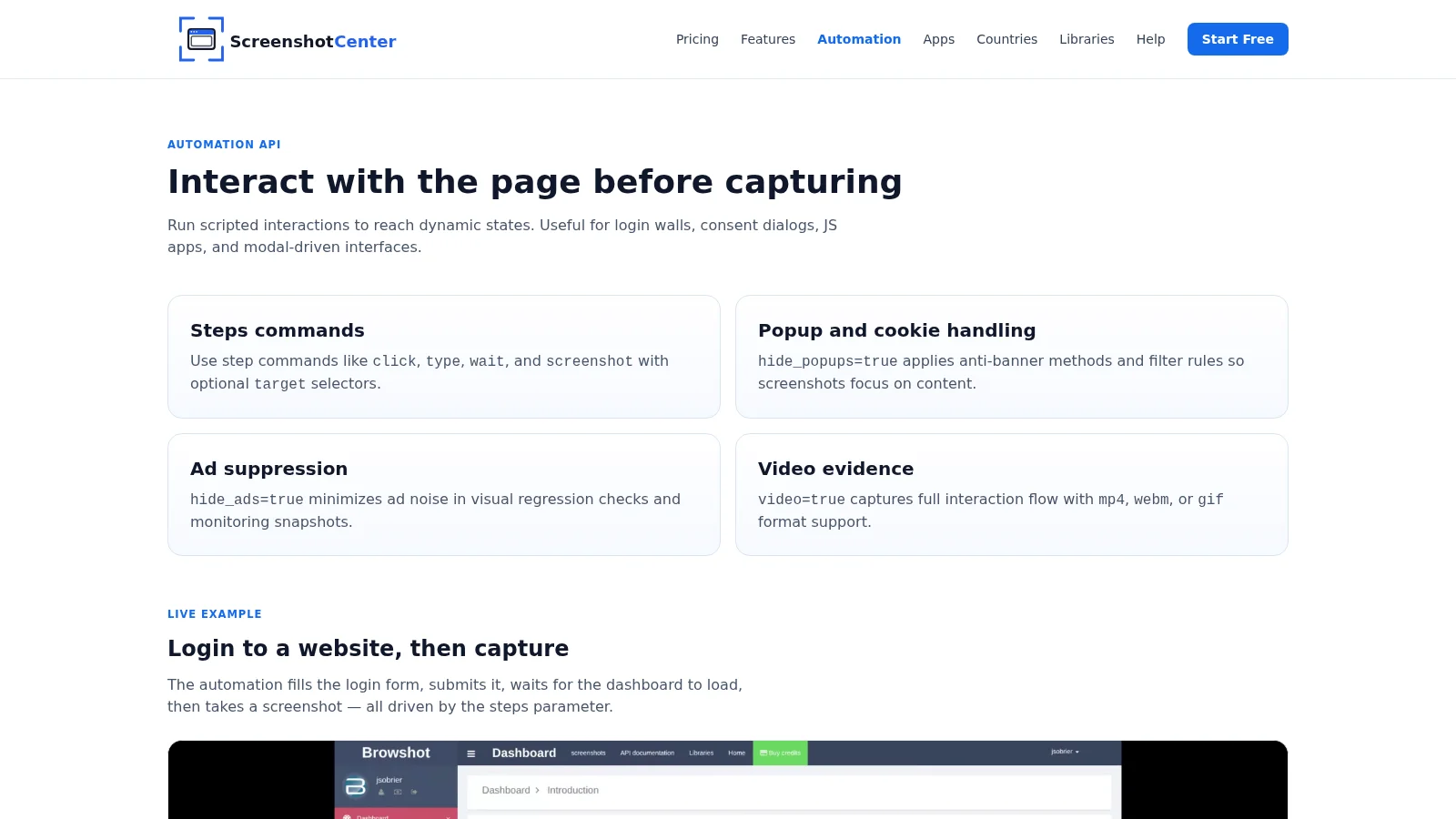
The automation fills the login form, submits it, waits for the dashboard to load, then takes a screenshot — all driven by the steps parameter.
</p><div class="mt-6 overflow-hidden rounded-2xl border border-slate-200 bg-black shadow-sm"><video src="/assets/media/automation-steps.webm" autoplay="" loop="" muted="" playsinline="" class="w-full object-cover"></video></div></div><!-- Demo: page interaction --><div class="mt-14"><p class="kicker text-primary-600">Live example</p><h2 class="mt-3 text-2xl font-bold">Interact with dynamic page elements</h2><p class="mt-3 max-w-2xl text-slate-600">
Trigger chart tooltips, run searches, expand tree nodes, open drawers — any interaction a real user would perform. Capture the exact state you need, not just the initial page load.
</p><div class="mt-6 overflow-hidden rounded-2xl border border-slate-200 bg-black shadow-sm"><video src="/assets/media/automation-site.webm" autoplay="" loop="" muted="" playsinline="" class="w-full object-cover"></video></div></div><!-- Code examples --><div class="mt-14"><p class="kicker text-primary-600">Code example</p><h2 class="mt-3 text-2xl font-bold">Run automation steps in your language of choice</h2><p class="mt-3 max-w-2xl text-slate-600">
Every SDK supports the full <code class="rounded bg-slate-100 px-1 py-0.5 text-sm font-mono">steps</code> parameter. Submit the job and poll or use a webhook to collect the result.
</p><div class="mt-6 code-card rounded-xl border border-slate-700 overflow-hidden bg-slate-900" data-code-group="automation"><div class="flex items-center bg-slate-800 border-b border-slate-700"><div class="flex overflow-x-auto flex-1 -mb-px"><button type="button" data-tab="curl" data-group="automation" class="code-tab flex items-center gap-1.5 px-4 py-2.5 text-xs font-medium whitespace-nowrap border-b-2 transition-colors border-blue-400 text-blue-300"><img src="https://cdn.simpleicons.org/curl/073551" class="h-3.5 w-3.5 flex-shrink-0" alt="" aria-hidden="true">curl</button><button type="button" data-tab="js" data-group="automation" class="code-tab flex items-center gap-1.5 px-4 py-2.5 text-xs font-medium whitespace-nowrap border-b-2 transition-colors border-transparent text-slate-400 hover:text-slate-200"><img src="https://cdn.simpleicons.org/javascript/F7DF1E" class="h-3.5 w-3.5 flex-shrink-0" alt="" aria-hidden="true">JavaScript</button><button type="button" data-tab="python" data-group="automation" class="code-tab flex items-center gap-1.5 px-4 py-2.5 text-xs font-medium whitespace-nowrap border-b-2 transition-colors border-transparent text-slate-400 hover:text-slate-200"><img src="https://cdn.simpleicons.org/python/3776AB" class="h-3.5 w-3.5 flex-shrink-0" alt="" aria-hidden="true">Python</button><button type="button" data-tab="php" data-group="automation" class="code-tab flex items-center gap-1.5 px-4 py-2.5 text-xs font-medium whitespace-nowrap border-b-2 transition-colors border-transparent text-slate-400 hover:text-slate-200"><img src="https://cdn.simpleicons.org/php/777BB4" class="h-3.5 w-3.5 flex-shrink-0" alt="" aria-hidden="true">PHP</button><button type="button" data-tab="go" data-group="automation" class="code-tab flex items-center gap-1.5 px-4 py-2.5 text-xs font-medium whitespace-nowrap border-b-2 transition-colors border-transparent text-slate-400 hover:text-slate-200"><img src="https://cdn.simpleicons.org/go/00ADD8" class="h-3.5 w-3.5 flex-shrink-0" alt="" aria-hidden="true">Go</button><button type="button" data-tab="ruby" data-group="automation" class="code-tab flex items-center gap-1.5 px-4 py-2.5 text-xs font-medium whitespace-nowrap border-b-2 transition-colors border-transparent text-slate-400 hover:text-slate-200"><img src="https://cdn.simpleicons.org/ruby/CC342D" class="h-3.5 w-3.5 flex-shrink-0" alt="" aria-hidden="true">Ruby</button><button type="button" data-tab="java" data-group="automation" class="code-tab flex items-center gap-1.5 px-4 py-2.5 text-xs font-medium whitespace-nowrap border-b-2 transition-colors border-transparent text-slate-400 hover:text-slate-200"><img src="https://cdn.simpleicons.org/openjdk/ED8B00" class="h-3.5 w-3.5 flex-shrink-0" alt="" aria-hidden="true">Java</button><button type="button" data-tab="csharp" data-group="automation" class="code-tab flex items-center gap-1.5 px-4 py-2.5 text-xs font-medium whitespace-nowrap border-b-2 transition-colors border-transparent text-slate-400 hover:text-slate-200"><img src="https://cdn.simpleicons.org/dotnet/512BD4" class="h-3.5 w-3.5 flex-shrink-0" alt="" aria-hidden="true">C#</button></div><button type="button" data-copy-group="automation" class="copy-btn flex-shrink-0 mr-3 text-xs font-medium text-slate-400 hover:text-white bg-slate-700 hover:bg-slate-600 rounded px-2 py-0.5 transition-colors">Copy</button></div><div data-panel="curl" data-group="automation" class="code-panel "><pre class="astro-code github-dark" style="background-color:#24292e;color:#e1e4e8; overflow-x: auto;" tabindex="0" data-language="bash"><code><span class="line"><span style="color:#B392F0">curl</span><span style="color:#79B8FF"> -X</span><span style="color:#9ECBFF"> POST</span><span style="color:#9ECBFF"> https://api.screenshotcenter.com/v1/screenshot</span><span style="color:#79B8FF"> \</span></span>
<span class="line"><span style="color:#79B8FF"> -H</span><span style="color:#9ECBFF"> "X-API-KEY: YOUR_API_KEY"</span><span style="color:#79B8FF"> \</span></span>
<span class="line"><span style="color:#79B8FF"> -H</span><span style="color:#9ECBFF"> "Content-Type: application/json"</span><span style="color:#79B8FF"> \</span></span>
<span class="line"><span style="color:#79B8FF"> -d</span><span style="color:#9ECBFF"> '{</span></span>
<span class="line"><span style="color:#9ECBFF"> "url": "https://example.com/dashboard",</span></span>
<span class="line"><span style="color:#9ECBFF"> "country": "us",</span></span>
<span class="line"><span style="color:#9ECBFF"> "steps": [</span></span>
<span class="line"><span style="color:#9ECBFF"> { "command": "click", "selector": "#login-btn" },</span></span>
<span class="line"><span style="color:#9ECBFF"> { "command": "type", "selector": "#email", "value": "user@example.com" },</span></span>
<span class="line"><span style="color:#9ECBFF"> { "command": "type", "selector": "#password", "value": "secret" },</span></span>
<span class="line"><span style="color:#9ECBFF"> { "command": "click", "selector": "button[type=submit]" },</span></span>
<span class="line"><span style="color:#9ECBFF"> { "command": "wait", "value": 1500 },</span></span>
<span class="line"><span style="color:#9ECBFF"> { "command": "screenshot", "target": ".dashboard" }</span></span>
<span class="line"><span style="color:#9ECBFF"> ],</span></span>
<span class="line"><span style="color:#9ECBFF"> "hide_popups": true,</span></span>
<span class="line"><span style="color:#9ECBFF"> "hide_ads": true,</span></span>
<span class="line"><span style="color:#9ECBFF"> "video": true,</span></span>
<span class="line"><span style="color:#9ECBFF"> "video_format": "mp4"</span></span>
<span class="line"><span style="color:#9ECBFF"> }'</span></span></code></pre></div><div data-panel="js" data-group="automation" class="code-panel hidden"><pre class="astro-code github-dark" style="background-color:#24292e;color:#e1e4e8; overflow-x: auto;" tabindex="0" data-language="javascript"><code><span class="line"><span style="color:#F97583">import</span><span style="color:#E1E4E8"> { ScreenshotCenterClient } </span><span style="color:#F97583">from</span><span style="color:#9ECBFF"> 'screenshotcenter'</span><span style="color:#E1E4E8">;</span></span>
<span class="line"></span>
<span class="line"><span style="color:#F97583">const</span><span style="color:#79B8FF"> client</span><span style="color:#F97583"> =</span><span style="color:#F97583"> new</span><span style="color:#B392F0"> ScreenshotCenterClient</span><span style="color:#E1E4E8">({ apiKey: </span><span style="color:#9ECBFF">'YOUR_API_KEY'</span><span style="color:#E1E4E8"> });</span></span>
<span class="line"></span>
<span class="line"><span style="color:#F97583">const</span><span style="color:#79B8FF"> screenshot</span><span style="color:#F97583"> =</span><span style="color:#F97583"> await</span><span style="color:#E1E4E8"> client.screenshot.</span><span style="color:#B392F0">create</span><span style="color:#E1E4E8">({</span></span>
<span class="line"><span style="color:#E1E4E8"> url: </span><span style="color:#9ECBFF">'https://example.com/dashboard'</span><span style="color:#E1E4E8">,</span></span>
<span class="line"><span style="color:#E1E4E8"> country: </span><span style="color:#9ECBFF">'us'</span><span style="color:#E1E4E8">,</span></span>
<span class="line"><span style="color:#E1E4E8"> steps: [</span></span>
<span class="line"><span style="color:#E1E4E8"> { command: </span><span style="color:#9ECBFF">'click'</span><span style="color:#E1E4E8">, selector: </span><span style="color:#9ECBFF">'#login-btn'</span><span style="color:#E1E4E8"> },</span></span>
<span class="line"><span style="color:#E1E4E8"> { command: </span><span style="color:#9ECBFF">'type'</span><span style="color:#E1E4E8">, selector: </span><span style="color:#9ECBFF">'#email'</span><span style="color:#E1E4E8">, value: </span><span style="color:#9ECBFF">'user@example.com'</span><span style="color:#E1E4E8"> },</span></span>
<span class="line"><span style="color:#E1E4E8"> { command: </span><span style="color:#9ECBFF">'type'</span><span style="color:#E1E4E8">, selector: </span><span style="color:#9ECBFF">'#password'</span><span style="color:#E1E4E8">, value: </span><span style="color:#9ECBFF">'secret'</span><span style="color:#E1E4E8"> },</span></span>
<span class="line"><span style="color:#E1E4E8"> { command: </span><span style="color:#9ECBFF">'click'</span><span style="color:#E1E4E8">, selector: </span><span style="color:#9ECBFF">'button[type=submit]'</span><span style="color:#E1E4E8"> },</span></span>
<span class="line"><span style="color:#E1E4E8"> { command: </span><span style="color:#9ECBFF">'wait'</span><span style="color:#E1E4E8">, value: </span><span style="color:#79B8FF">1500</span><span style="color:#E1E4E8"> },</span></span>
<span class="line"><span style="color:#E1E4E8"> { command: </span><span style="color:#9ECBFF">'screenshot'</span><span style="color:#E1E4E8">, target: </span><span style="color:#9ECBFF">'.dashboard'</span><span style="color:#E1E4E8"> },</span></span>
<span class="line"><span style="color:#E1E4E8"> ],</span></span>
<span class="line"><span style="color:#E1E4E8"> hide_popups: </span><span style="color:#79B8FF">true</span><span style="color:#E1E4E8">,</span></span>
<span class="line"><span style="color:#E1E4E8"> hide_ads: </span><span style="color:#79B8FF">true</span><span style="color:#E1E4E8">,</span></span>
<span class="line"><span style="color:#E1E4E8"> video: </span><span style="color:#79B8FF">true</span><span style="color:#E1E4E8">,</span></span>
<span class="line"><span style="color:#E1E4E8"> video_format: </span><span style="color:#9ECBFF">'mp4'</span><span style="color:#E1E4E8">,</span></span>
<span class="line"><span style="color:#E1E4E8">});</span></span>
<span class="line"></span>
<span class="line"><span style="color:#F97583">const</span><span style="color:#79B8FF"> result</span><span style="color:#F97583"> =</span><span style="color:#F97583"> await</span><span style="color:#E1E4E8"> client.</span><span style="color:#B392F0">waitFor</span><span style="color:#E1E4E8">(screenshot.id);</span></span>
<span class="line"><span style="color:#E1E4E8">console.</span><span style="color:#B392F0">log</span><span style="color:#E1E4E8">(result.screenshot_url);</span></span></code></pre></div><div data-panel="python" data-group="automation" class="code-panel hidden"><pre class="astro-code github-dark" style="background-color:#24292e;color:#e1e4e8; overflow-x: auto;" tabindex="0" data-language="python"><code><span class="line"><span style="color:#F97583">from</span><span style="color:#E1E4E8"> screenshotcenter </span><span style="color:#F97583">import</span><span style="color:#E1E4E8"> ScreenshotCenterClient</span></span>
<span class="line"></span>
<span class="line"><span style="color:#E1E4E8">client </span><span style="color:#F97583">=</span><span style="color:#E1E4E8"> ScreenshotCenterClient(</span><span style="color:#FFAB70">api_key</span><span style="color:#F97583">=</span><span style="color:#9ECBFF">"YOUR_API_KEY"</span><span style="color:#E1E4E8">)</span></span>
<span class="line"></span>
<span class="line"><span style="color:#E1E4E8">shot </span><span style="color:#F97583">=</span><span style="color:#E1E4E8"> client.screenshot.create(</span></span>
<span class="line"><span style="color:#FFAB70"> url</span><span style="color:#F97583">=</span><span style="color:#9ECBFF">"https://example.com/dashboard"</span><span style="color:#E1E4E8">,</span></span>
<span class="line"><span style="color:#FFAB70"> country</span><span style="color:#F97583">=</span><span style="color:#9ECBFF">"us"</span><span style="color:#E1E4E8">,</span></span>
<span class="line"><span style="color:#FFAB70"> steps</span><span style="color:#F97583">=</span><span style="color:#E1E4E8">[</span></span>
<span class="line"><span style="color:#E1E4E8"> {</span><span style="color:#9ECBFF">"command"</span><span style="color:#E1E4E8">: </span><span style="color:#9ECBFF">"click"</span><span style="color:#E1E4E8">, </span><span style="color:#9ECBFF">"selector"</span><span style="color:#E1E4E8">: </span><span style="color:#9ECBFF">"#login-btn"</span><span style="color:#E1E4E8">},</span></span>
<span class="line"><span style="color:#E1E4E8"> {</span><span style="color:#9ECBFF">"command"</span><span style="color:#E1E4E8">: </span><span style="color:#9ECBFF">"type"</span><span style="color:#E1E4E8">, </span><span style="color:#9ECBFF">"selector"</span><span style="color:#E1E4E8">: </span><span style="color:#9ECBFF">"#email"</span><span style="color:#E1E4E8">, </span><span style="color:#9ECBFF">"value"</span><span style="color:#E1E4E8">: </span><span style="color:#9ECBFF">"user@example.com"</span><span style="color:#E1E4E8">},</span></span>
<span class="line"><span style="color:#E1E4E8"> {</span><span style="color:#9ECBFF">"command"</span><span style="color:#E1E4E8">: </span><span style="color:#9ECBFF">"type"</span><span style="color:#E1E4E8">, </span><span style="color:#9ECBFF">"selector"</span><span style="color:#E1E4E8">: </span><span style="color:#9ECBFF">"#password"</span><span style="color:#E1E4E8">, </span><span style="color:#9ECBFF">"value"</span><span style="color:#E1E4E8">: </span><span style="color:#9ECBFF">"secret"</span><span style="color:#E1E4E8">},</span></span>
<span class="line"><span style="color:#E1E4E8"> {</span><span style="color:#9ECBFF">"command"</span><span style="color:#E1E4E8">: </span><span style="color:#9ECBFF">"click"</span><span style="color:#E1E4E8">, </span><span style="color:#9ECBFF">"selector"</span><span style="color:#E1E4E8">: </span><span style="color:#9ECBFF">"button[type=submit]"</span><span style="color:#E1E4E8">},</span></span>
<span class="line"><span style="color:#E1E4E8"> {</span><span style="color:#9ECBFF">"command"</span><span style="color:#E1E4E8">: </span><span style="color:#9ECBFF">"wait"</span><span style="color:#E1E4E8">, </span><span style="color:#9ECBFF">"value"</span><span style="color:#E1E4E8">: </span><span style="color:#79B8FF">1500</span><span style="color:#E1E4E8">},</span></span>
<span class="line"><span style="color:#E1E4E8"> {</span><span style="color:#9ECBFF">"command"</span><span style="color:#E1E4E8">: </span><span style="color:#9ECBFF">"screenshot"</span><span style="color:#E1E4E8">, </span><span style="color:#9ECBFF">"target"</span><span style="color:#E1E4E8">: </span><span style="color:#9ECBFF">".dashboard"</span><span style="color:#E1E4E8">},</span></span>
<span class="line"><span style="color:#E1E4E8"> ],</span></span>
<span class="line"><span style="color:#FFAB70"> hide_popups</span><span style="color:#F97583">=</span><span style="color:#79B8FF">True</span><span style="color:#E1E4E8">,</span></span>
<span class="line"><span style="color:#FFAB70"> hide_ads</span><span style="color:#F97583">=</span><span style="color:#79B8FF">True</span><span style="color:#E1E4E8">,</span></span>
<span class="line"><span style="color:#FFAB70"> video</span><span style="color:#F97583">=</span><span style="color:#79B8FF">True</span><span style="color:#E1E4E8">,</span></span>
<span class="line"><span style="color:#FFAB70"> video_format</span><span style="color:#F97583">=</span><span style="color:#9ECBFF">"mp4"</span><span style="color:#E1E4E8">,</span></span>
<span class="line"><span style="color:#E1E4E8">)</span></span>
<span class="line"></span>
<span class="line"><span style="color:#E1E4E8">result </span><span style="color:#F97583">=</span><span style="color:#E1E4E8"> client.wait_for(shot[</span><span style="color:#9ECBFF">"id"</span><span style="color:#E1E4E8">])</span></span>
<span class="line"><span style="color:#79B8FF">print</span><span style="color:#E1E4E8">(result[</span><span style="color:#9ECBFF">"screenshot_url"</span><span style="color:#E1E4E8">])</span></span></code></pre></div><div data-panel="php" data-group="automation" class="code-panel hidden"><pre class="astro-code github-dark" style="background-color:#24292e;color:#e1e4e8; overflow-x: auto;" tabindex="0" data-language="php"><code><span class="line"><span style="color:#F97583">use</span><span style="color:#79B8FF"> ScreenshotCenter\Client</span><span style="color:#E1E4E8">;</span></span>
<span class="line"></span>
<span class="line"><span style="color:#E1E4E8">$client </span><span style="color:#F97583">=</span><span style="color:#F97583"> new</span><span style="color:#79B8FF"> Client</span><span style="color:#E1E4E8">(</span><span style="color:#79B8FF">getenv</span><span style="color:#E1E4E8">(</span><span style="color:#9ECBFF">'SCREENSHOTCENTER_API_KEY'</span><span style="color:#E1E4E8">));</span></span>
<span class="line"></span>
<span class="line"><span style="color:#E1E4E8">$shot </span><span style="color:#F97583">=</span><span style="color:#E1E4E8"> $client</span><span style="color:#F97583">-></span><span style="color:#E1E4E8">screenshot</span><span style="color:#F97583">-></span><span style="color:#B392F0">create</span><span style="color:#E1E4E8">(</span><span style="color:#9ECBFF">'https://example.com/dashboard'</span><span style="color:#E1E4E8">, [</span></span>
<span class="line"><span style="color:#9ECBFF"> 'country'</span><span style="color:#F97583"> =></span><span style="color:#9ECBFF"> 'us'</span><span style="color:#E1E4E8">,</span></span>
<span class="line"><span style="color:#9ECBFF"> 'steps'</span><span style="color:#F97583"> =></span><span style="color:#E1E4E8"> [</span></span>
<span class="line"><span style="color:#E1E4E8"> [</span><span style="color:#9ECBFF">'command'</span><span style="color:#F97583"> =></span><span style="color:#9ECBFF"> 'click'</span><span style="color:#E1E4E8">, </span><span style="color:#9ECBFF">'selector'</span><span style="color:#F97583"> =></span><span style="color:#9ECBFF"> '#login-btn'</span><span style="color:#E1E4E8">],</span></span>
<span class="line"><span style="color:#E1E4E8"> [</span><span style="color:#9ECBFF">'command'</span><span style="color:#F97583"> =></span><span style="color:#9ECBFF"> 'type'</span><span style="color:#E1E4E8">, </span><span style="color:#9ECBFF">'selector'</span><span style="color:#F97583"> =></span><span style="color:#9ECBFF"> '#email'</span><span style="color:#E1E4E8">, </span><span style="color:#9ECBFF">'value'</span><span style="color:#F97583"> =></span><span style="color:#9ECBFF"> 'user@example.com'</span><span style="color:#E1E4E8">],</span></span>
<span class="line"><span style="color:#E1E4E8"> [</span><span style="color:#9ECBFF">'command'</span><span style="color:#F97583"> =></span><span style="color:#9ECBFF"> 'type'</span><span style="color:#E1E4E8">, </span><span style="color:#9ECBFF">'selector'</span><span style="color:#F97583"> =></span><span style="color:#9ECBFF"> '#password'</span><span style="color:#E1E4E8">, </span><span style="color:#9ECBFF">'value'</span><span style="color:#F97583"> =></span><span style="color:#9ECBFF"> 'secret'</span><span style="color:#E1E4E8">],</span></span>
<span class="line"><span style="color:#E1E4E8"> [</span><span style="color:#9ECBFF">'command'</span><span style="color:#F97583"> =></span><span style="color:#9ECBFF"> 'click'</span><span style="color:#E1E4E8">, </span><span style="color:#9ECBFF">'selector'</span><span style="color:#F97583"> =></span><span style="color:#9ECBFF"> 'button[type=submit]'</span><span style="color:#E1E4E8">],</span></span>
<span class="line"><span style="color:#E1E4E8"> [</span><span style="color:#9ECBFF">'command'</span><span style="color:#F97583"> =></span><span style="color:#9ECBFF"> 'wait'</span><span style="color:#E1E4E8">, </span><span style="color:#9ECBFF">'value'</span><span style="color:#F97583"> =></span><span style="color:#79B8FF"> 1500</span><span style="color:#E1E4E8">],</span></span>
<span class="line"><span style="color:#E1E4E8"> [</span><span style="color:#9ECBFF">'command'</span><span style="color:#F97583"> =></span><span style="color:#9ECBFF"> 'screenshot'</span><span style="color:#E1E4E8">, </span><span style="color:#9ECBFF">'target'</span><span style="color:#F97583"> =></span><span style="color:#9ECBFF"> '.dashboard'</span><span style="color:#E1E4E8">],</span></span>
<span class="line"><span style="color:#E1E4E8"> ],</span></span>
<span class="line"><span style="color:#9ECBFF"> 'hide_popups'</span><span style="color:#F97583"> =></span><span style="color:#79B8FF"> true</span><span style="color:#E1E4E8">,</span></span>
<span class="line"><span style="color:#9ECBFF"> 'hide_ads'</span><span style="color:#F97583"> =></span><span style="color:#79B8FF"> true</span><span style="color:#E1E4E8">,</span></span>
<span class="line"><span style="color:#9ECBFF"> 'video'</span><span style="color:#F97583"> =></span><span style="color:#79B8FF"> true</span><span style="color:#E1E4E8">,</span></span>
<span class="line"><span style="color:#9ECBFF"> 'video_format'</span><span style="color:#F97583"> =></span><span style="color:#9ECBFF"> 'mp4'</span><span style="color:#E1E4E8">,</span></span>
<span class="line"><span style="color:#E1E4E8">]);</span></span>
<span class="line"></span>
<span class="line"><span style="color:#E1E4E8">$result </span><span style="color:#F97583">=</span><span style="color:#E1E4E8"> $client</span><span style="color:#F97583">-></span><span style="color:#B392F0">waitFor</span><span style="color:#E1E4E8">($shot[</span><span style="color:#9ECBFF">'id'</span><span style="color:#E1E4E8">]);</span></span>
<span class="line"><span style="color:#79B8FF">echo</span><span style="color:#E1E4E8"> $result[</span><span style="color:#9ECBFF">'screenshot_url'</span><span style="color:#E1E4E8">];</span></span></code></pre></div><div data-panel="go" data-group="automation" class="code-panel hidden"><pre class="astro-code github-dark" style="background-color:#24292e;color:#e1e4e8; overflow-x: auto;" tabindex="0" data-language="go"><code><span class="line"><span style="color:#F97583">import</span><span style="color:#E1E4E8"> sc </span><span style="color:#9ECBFF">"</span><span style="color:#B392F0">github.com/juliensobrier/screenshotcenter-go</span><span style="color:#9ECBFF">"</span></span>
<span class="line"></span>
<span class="line"><span style="color:#E1E4E8">client </span><span style="color:#F97583">:=</span><span style="color:#E1E4E8"> sc.</span><span style="color:#B392F0">New</span><span style="color:#E1E4E8">(</span><span style="color:#9ECBFF">"YOUR_API_KEY"</span><span style="color:#E1E4E8">)</span></span>
<span class="line"></span>
<span class="line"><span style="color:#E1E4E8">videoTrue </span><span style="color:#F97583">:=</span><span style="color:#79B8FF"> true</span></span>
<span class="line"><span style="color:#E1E4E8">shot, err </span><span style="color:#F97583">:=</span><span style="color:#E1E4E8"> client.Screenshot.</span><span style="color:#B392F0">Create</span><span style="color:#E1E4E8">(</span><span style="color:#9ECBFF">"https://example.com/dashboard"</span><span style="color:#E1E4E8">, </span><span style="color:#F97583">&</span><span style="color:#B392F0">sc</span><span style="color:#E1E4E8">.</span><span style="color:#B392F0">CreateParams</span><span style="color:#E1E4E8">{</span></span>
<span class="line"><span style="color:#E1E4E8"> Country: </span><span style="color:#9ECBFF">"us"</span><span style="color:#E1E4E8">,</span></span>
<span class="line"><span style="color:#E1E4E8"> Steps: []</span><span style="color:#B392F0">sc</span><span style="color:#E1E4E8">.</span><span style="color:#B392F0">Step</span><span style="color:#E1E4E8">{</span></span>
<span class="line"><span style="color:#E1E4E8"> {Command: </span><span style="color:#9ECBFF">"click"</span><span style="color:#E1E4E8">, Selector: </span><span style="color:#9ECBFF">"#login-btn"</span><span style="color:#E1E4E8">},</span></span>
<span class="line"><span style="color:#E1E4E8"> {Command: </span><span style="color:#9ECBFF">"type"</span><span style="color:#E1E4E8">, Selector: </span><span style="color:#9ECBFF">"#email"</span><span style="color:#E1E4E8">, Value: </span><span style="color:#9ECBFF">"user@example.com"</span><span style="color:#E1E4E8">},</span></span>
<span class="line"><span style="color:#E1E4E8"> {Command: </span><span style="color:#9ECBFF">"type"</span><span style="color:#E1E4E8">, Selector: </span><span style="color:#9ECBFF">"#password"</span><span style="color:#E1E4E8">, Value: </span><span style="color:#9ECBFF">"secret"</span><span style="color:#E1E4E8">},</span></span>
<span class="line"><span style="color:#E1E4E8"> {Command: </span><span style="color:#9ECBFF">"click"</span><span style="color:#E1E4E8">, Selector: </span><span style="color:#9ECBFF">"button[type=submit]"</span><span style="color:#E1E4E8">},</span></span>
<span class="line"><span style="color:#E1E4E8"> {Command: </span><span style="color:#9ECBFF">"wait"</span><span style="color:#E1E4E8">, Value: </span><span style="color:#9ECBFF">"1500"</span><span style="color:#E1E4E8">},</span></span>
<span class="line"><span style="color:#E1E4E8"> {Command: </span><span style="color:#9ECBFF">"screenshot"</span><span style="color:#E1E4E8">, Target: </span><span style="color:#9ECBFF">".dashboard"</span><span style="color:#E1E4E8">},</span></span>
<span class="line"><span style="color:#E1E4E8"> },</span></span>
<span class="line"><span style="color:#E1E4E8"> HidePopups: </span><span style="color:#79B8FF">true</span><span style="color:#E1E4E8">,</span></span>
<span class="line"><span style="color:#E1E4E8"> HideAds: </span><span style="color:#79B8FF">true</span><span style="color:#E1E4E8">,</span></span>
<span class="line"><span style="color:#E1E4E8"> Video: </span><span style="color:#F97583">&</span><span style="color:#E1E4E8">videoTrue,</span></span>
<span class="line"><span style="color:#E1E4E8"> VideoFormat: </span><span style="color:#9ECBFF">"mp4"</span><span style="color:#E1E4E8">,</span></span>
<span class="line"><span style="color:#E1E4E8">})</span></span>
<span class="line"><span style="color:#F97583">if</span><span style="color:#E1E4E8"> err </span><span style="color:#F97583">!=</span><span style="color:#79B8FF"> nil</span><span style="color:#E1E4E8"> { log.</span><span style="color:#B392F0">Fatal</span><span style="color:#E1E4E8">(err) }</span></span>
<span class="line"></span>
<span class="line"><span style="color:#E1E4E8">result, _ </span><span style="color:#F97583">:=</span><span style="color:#E1E4E8"> client.</span><span style="color:#B392F0">WaitFor</span><span style="color:#E1E4E8">(shot.ID, </span><span style="color:#79B8FF">nil</span><span style="color:#E1E4E8">)</span></span>
<span class="line"><span style="color:#E1E4E8">fmt.</span><span style="color:#B392F0">Println</span><span style="color:#E1E4E8">(result.ScreenshotURL)</span></span></code></pre></div><div data-panel="ruby" data-group="automation" class="code-panel hidden"><pre class="astro-code github-dark" style="background-color:#24292e;color:#e1e4e8; overflow-x: auto;" tabindex="0" data-language="ruby"><code><span class="line"><span style="color:#F97583">require</span><span style="color:#9ECBFF"> "screenshotcenter"</span></span>
<span class="line"></span>
<span class="line"><span style="color:#FFAB70">client</span><span style="color:#F97583"> =</span><span style="color:#79B8FF"> ScreenshotCenter</span><span style="color:#E1E4E8">::</span><span style="color:#79B8FF">Client</span><span style="color:#E1E4E8">.</span><span style="color:#F97583">new</span><span style="color:#E1E4E8">(</span><span style="color:#79B8FF">ENV</span><span style="color:#E1E4E8">[</span><span style="color:#9ECBFF">"SCREENSHOTCENTER_API_KEY"</span><span style="color:#E1E4E8">])</span></span>
<span class="line"></span>
<span class="line"><span style="color:#FFAB70">shot</span><span style="color:#F97583"> =</span><span style="color:#E1E4E8"> client.</span><span style="color:#B392F0">screenshot</span><span style="color:#E1E4E8">.</span><span style="color:#B392F0">create</span><span style="color:#E1E4E8">(</span><span style="color:#9ECBFF">"https://example.com/dashboard"</span><span style="color:#E1E4E8">,</span></span>
<span class="line"><span style="color:#79B8FF"> country:</span><span style="color:#9ECBFF"> "us"</span><span style="color:#E1E4E8">,</span></span>
<span class="line"><span style="color:#79B8FF"> steps:</span><span style="color:#E1E4E8"> [</span></span>
<span class="line"><span style="color:#E1E4E8"> { </span><span style="color:#79B8FF">command:</span><span style="color:#9ECBFF"> "click"</span><span style="color:#E1E4E8">, </span><span style="color:#79B8FF">selector:</span><span style="color:#9ECBFF"> "#login-btn"</span><span style="color:#E1E4E8"> },</span></span>
<span class="line"><span style="color:#E1E4E8"> { </span><span style="color:#79B8FF">command:</span><span style="color:#9ECBFF"> "type"</span><span style="color:#E1E4E8">, </span><span style="color:#79B8FF">selector:</span><span style="color:#9ECBFF"> "#email"</span><span style="color:#E1E4E8">, </span><span style="color:#79B8FF">value:</span><span style="color:#9ECBFF"> "user@example.com"</span><span style="color:#E1E4E8"> },</span></span>
<span class="line"><span style="color:#E1E4E8"> { </span><span style="color:#79B8FF">command:</span><span style="color:#9ECBFF"> "type"</span><span style="color:#E1E4E8">, </span><span style="color:#79B8FF">selector:</span><span style="color:#9ECBFF"> "#password"</span><span style="color:#E1E4E8">, </span><span style="color:#79B8FF">value:</span><span style="color:#9ECBFF"> "secret"</span><span style="color:#E1E4E8"> },</span></span>
<span class="line"><span style="color:#E1E4E8"> { </span><span style="color:#79B8FF">command:</span><span style="color:#9ECBFF"> "click"</span><span style="color:#E1E4E8">, </span><span style="color:#79B8FF">selector:</span><span style="color:#9ECBFF"> "button[type=submit]"</span><span style="color:#E1E4E8"> },</span></span>
<span class="line"><span style="color:#E1E4E8"> { </span><span style="color:#79B8FF">command:</span><span style="color:#9ECBFF"> "wait"</span><span style="color:#E1E4E8">, </span><span style="color:#79B8FF">value:</span><span style="color:#79B8FF"> 1500</span><span style="color:#E1E4E8"> },</span></span>
<span class="line"><span style="color:#E1E4E8"> { </span><span style="color:#79B8FF">command:</span><span style="color:#9ECBFF"> "screenshot"</span><span style="color:#E1E4E8">, </span><span style="color:#79B8FF">target:</span><span style="color:#9ECBFF"> ".dashboard"</span><span style="color:#E1E4E8"> },</span></span>
<span class="line"><span style="color:#E1E4E8"> ],</span></span>
<span class="line"><span style="color:#79B8FF"> hide_popups:</span><span style="color:#79B8FF"> true</span><span style="color:#E1E4E8">,</span></span>
<span class="line"><span style="color:#79B8FF"> hide_ads:</span><span style="color:#79B8FF"> true</span><span style="color:#E1E4E8">,</span></span>
<span class="line"><span style="color:#79B8FF"> video:</span><span style="color:#79B8FF"> true</span><span style="color:#E1E4E8">,</span></span>
<span class="line"><span style="color:#79B8FF"> video_format:</span><span style="color:#9ECBFF"> "mp4"</span></span>
<span class="line"><span style="color:#E1E4E8">)</span></span>
<span class="line"></span>
<span class="line"><span style="color:#FFAB70">result</span><span style="color:#F97583"> =</span><span style="color:#E1E4E8"> client.</span><span style="color:#B392F0">wait_for</span><span style="color:#E1E4E8">(shot[</span><span style="color:#9ECBFF">"id"</span><span style="color:#E1E4E8">])</span></span>
<span class="line"><span style="color:#79B8FF">puts</span><span style="color:#E1E4E8"> result[</span><span style="color:#9ECBFF">"screenshot_url"</span><span style="color:#E1E4E8">]</span></span></code></pre></div><div data-panel="java" data-group="automation" class="code-panel hidden"><pre class="astro-code github-dark" style="background-color:#24292e;color:#e1e4e8; overflow-x: auto;" tabindex="0" data-language="java"><code><span class="line"><span style="color:#F97583">import</span><span style="color:#E1E4E8"> com.screenshotcenter.ScreenshotCenterClient;</span></span>
<span class="line"><span style="color:#F97583">import</span><span style="color:#E1E4E8"> java.util.</span><span style="color:#79B8FF">*</span><span style="color:#E1E4E8">;</span></span>
<span class="line"></span>
<span class="line"><span style="color:#E1E4E8">ScreenshotCenterClient client </span><span style="color:#F97583">=</span><span style="color:#F97583"> new</span><span style="color:#B392F0"> ScreenshotCenterClient</span><span style="color:#E1E4E8">(</span><span style="color:#9ECBFF">"YOUR_API_KEY"</span><span style="color:#E1E4E8">);</span></span>
<span class="line"></span>
<span class="line"><span style="color:#F97583">var</span><span style="color:#E1E4E8"> steps </span><span style="color:#F97583">=</span><span style="color:#E1E4E8"> List.</span><span style="color:#B392F0">of</span><span style="color:#E1E4E8">(</span></span>
<span class="line"><span style="color:#E1E4E8"> Map.</span><span style="color:#B392F0">of</span><span style="color:#E1E4E8">(</span><span style="color:#9ECBFF">"command"</span><span style="color:#E1E4E8">, </span><span style="color:#9ECBFF">"click"</span><span style="color:#E1E4E8">, </span><span style="color:#9ECBFF">"selector"</span><span style="color:#E1E4E8">, </span><span style="color:#9ECBFF">"#login-btn"</span><span style="color:#E1E4E8">),</span></span>
<span class="line"><span style="color:#E1E4E8"> Map.</span><span style="color:#B392F0">of</span><span style="color:#E1E4E8">(</span><span style="color:#9ECBFF">"command"</span><span style="color:#E1E4E8">, </span><span style="color:#9ECBFF">"type"</span><span style="color:#E1E4E8">, </span><span style="color:#9ECBFF">"selector"</span><span style="color:#E1E4E8">, </span><span style="color:#9ECBFF">"#email"</span><span style="color:#E1E4E8">, </span><span style="color:#9ECBFF">"value"</span><span style="color:#E1E4E8">, </span><span style="color:#9ECBFF">"user@example.com"</span><span style="color:#E1E4E8">),</span></span>
<span class="line"><span style="color:#E1E4E8"> Map.</span><span style="color:#B392F0">of</span><span style="color:#E1E4E8">(</span><span style="color:#9ECBFF">"command"</span><span style="color:#E1E4E8">, </span><span style="color:#9ECBFF">"type"</span><span style="color:#E1E4E8">, </span><span style="color:#9ECBFF">"selector"</span><span style="color:#E1E4E8">, </span><span style="color:#9ECBFF">"#password"</span><span style="color:#E1E4E8">, </span><span style="color:#9ECBFF">"value"</span><span style="color:#E1E4E8">, </span><span style="color:#9ECBFF">"secret"</span><span style="color:#E1E4E8">),</span></span>
<span class="line"><span style="color:#E1E4E8"> Map.</span><span style="color:#B392F0">of</span><span style="color:#E1E4E8">(</span><span style="color:#9ECBFF">"command"</span><span style="color:#E1E4E8">, </span><span style="color:#9ECBFF">"click"</span><span style="color:#E1E4E8">, </span><span style="color:#9ECBFF">"selector"</span><span style="color:#E1E4E8">, </span><span style="color:#9ECBFF">"button[type=submit]"</span><span style="color:#E1E4E8">),</span></span>
<span class="line"><span style="color:#E1E4E8"> Map.</span><span style="color:#B392F0">of</span><span style="color:#E1E4E8">(</span><span style="color:#9ECBFF">"command"</span><span style="color:#E1E4E8">, </span><span style="color:#9ECBFF">"wait"</span><span style="color:#E1E4E8">, </span><span style="color:#9ECBFF">"value"</span><span style="color:#E1E4E8">, </span><span style="color:#9ECBFF">"1500"</span><span style="color:#E1E4E8">),</span></span>
<span class="line"><span style="color:#E1E4E8"> Map.</span><span style="color:#B392F0">of</span><span style="color:#E1E4E8">(</span><span style="color:#9ECBFF">"command"</span><span style="color:#E1E4E8">, </span><span style="color:#9ECBFF">"screenshot"</span><span style="color:#E1E4E8">, </span><span style="color:#9ECBFF">"target"</span><span style="color:#E1E4E8">, </span><span style="color:#9ECBFF">".dashboard"</span><span style="color:#E1E4E8">)</span></span>
<span class="line"><span style="color:#E1E4E8">);</span></span>
<span class="line"><span style="color:#F97583">var</span><span style="color:#E1E4E8"> params </span><span style="color:#F97583">=</span><span style="color:#E1E4E8"> Map.</span><span style="color:#B392F0">of</span><span style="color:#E1E4E8">(</span></span>
<span class="line"><span style="color:#9ECBFF"> "country"</span><span style="color:#E1E4E8">, </span><span style="color:#9ECBFF">"us"</span><span style="color:#E1E4E8">,</span></span>
<span class="line"><span style="color:#9ECBFF"> "steps"</span><span style="color:#E1E4E8">, steps,</span></span>
<span class="line"><span style="color:#9ECBFF"> "hide_popups"</span><span style="color:#E1E4E8">, </span><span style="color:#9ECBFF">"true"</span><span style="color:#E1E4E8">,</span></span>
<span class="line"><span style="color:#9ECBFF"> "hide_ads"</span><span style="color:#E1E4E8">, </span><span style="color:#9ECBFF">"true"</span><span style="color:#E1E4E8">,</span></span>
<span class="line"><span style="color:#9ECBFF"> "video"</span><span style="color:#E1E4E8">, </span><span style="color:#9ECBFF">"true"</span><span style="color:#E1E4E8">,</span></span>
<span class="line"><span style="color:#9ECBFF"> "video_format"</span><span style="color:#E1E4E8">, </span><span style="color:#9ECBFF">"mp4"</span></span>
<span class="line"><span style="color:#E1E4E8">);</span></span>
<span class="line"><span style="color:#F97583">var</span><span style="color:#E1E4E8"> shot </span><span style="color:#F97583">=</span><span style="color:#E1E4E8"> client.</span><span style="color:#B392F0">screenshot</span><span style="color:#E1E4E8">().</span><span style="color:#B392F0">create</span><span style="color:#E1E4E8">(</span><span style="color:#9ECBFF">"https://example.com/dashboard"</span><span style="color:#E1E4E8">, params);</span></span>
<span class="line"><span style="color:#F97583">var</span><span style="color:#E1E4E8"> result </span><span style="color:#F97583">=</span><span style="color:#E1E4E8"> client.</span><span style="color:#B392F0">waitFor</span><span style="color:#E1E4E8">(shot.</span><span style="color:#B392F0">getLong</span><span style="color:#E1E4E8">(</span><span style="color:#9ECBFF">"id"</span><span style="color:#E1E4E8">), </span><span style="color:#79B8FF">null</span><span style="color:#E1E4E8">, </span><span style="color:#79B8FF">null</span><span style="color:#E1E4E8">);</span></span>
<span class="line"><span style="color:#E1E4E8">System.out.</span><span style="color:#B392F0">println</span><span style="color:#E1E4E8">(result.</span><span style="color:#B392F0">getString</span><span style="color:#E1E4E8">(</span><span style="color:#9ECBFF">"screenshot_url"</span><span style="color:#E1E4E8">));</span></span></code></pre></div><div data-panel="csharp" data-group="automation" class="code-panel hidden"><pre class="astro-code github-dark" style="background-color:#24292e;color:#e1e4e8; overflow-x: auto;" tabindex="0" data-language="csharp"><code><span class="line"><span style="color:#F97583">using</span><span style="color:#B392F0"> ScreenshotCenter</span><span style="color:#E1E4E8">;</span></span>
<span class="line"></span>
<span class="line"><span style="color:#F97583">var</span><span style="color:#B392F0"> client</span><span style="color:#F97583"> =</span><span style="color:#F97583"> new</span><span style="color:#B392F0"> ScreenshotCenterClient</span><span style="color:#E1E4E8">(</span><span style="color:#9ECBFF">"YOUR_API_KEY"</span><span style="color:#E1E4E8">);</span></span>
<span class="line"></span>
<span class="line"><span style="color:#F97583">var</span><span style="color:#B392F0"> shot</span><span style="color:#F97583"> =</span><span style="color:#F97583"> await</span><span style="color:#E1E4E8"> client.Screenshot.</span><span style="color:#B392F0">CreateAsync</span><span style="color:#E1E4E8">(</span><span style="color:#9ECBFF">"https://example.com/dashboard"</span><span style="color:#E1E4E8">,</span></span>
<span class="line"><span style="color:#F97583"> new</span><span style="color:#B392F0"> Dictionary</span><span style="color:#E1E4E8"><</span><span style="color:#F97583">string</span><span style="color:#E1E4E8">, </span><span style="color:#F97583">object</span><span style="color:#E1E4E8">> {</span></span>
<span class="line"><span style="color:#E1E4E8"> [</span><span style="color:#9ECBFF">"country"</span><span style="color:#E1E4E8">] </span><span style="color:#F97583">=</span><span style="color:#9ECBFF"> "us"</span><span style="color:#E1E4E8">,</span></span>
<span class="line"><span style="color:#E1E4E8"> [</span><span style="color:#9ECBFF">"steps"</span><span style="color:#E1E4E8">] </span><span style="color:#F97583">=</span><span style="color:#F97583"> new</span><span style="color:#E1E4E8">[] {</span></span>
<span class="line"><span style="color:#F97583"> new</span><span style="color:#E1E4E8"> { command </span><span style="color:#F97583">=</span><span style="color:#9ECBFF"> "click"</span><span style="color:#E1E4E8">, selector </span><span style="color:#F97583">=</span><span style="color:#9ECBFF"> "#login-btn"</span><span style="color:#E1E4E8"> },</span></span>
<span class="line"><span style="color:#F97583"> new</span><span style="color:#E1E4E8"> { command </span><span style="color:#F97583">=</span><span style="color:#9ECBFF"> "type"</span><span style="color:#E1E4E8">, selector </span><span style="color:#F97583">=</span><span style="color:#9ECBFF"> "#email"</span><span style="color:#E1E4E8">, value </span><span style="color:#F97583">=</span><span style="color:#9ECBFF"> "user@example.com"</span><span style="color:#E1E4E8"> },</span></span>
<span class="line"><span style="color:#F97583"> new</span><span style="color:#E1E4E8"> { command </span><span style="color:#F97583">=</span><span style="color:#9ECBFF"> "type"</span><span style="color:#E1E4E8">, selector </span><span style="color:#F97583">=</span><span style="color:#9ECBFF"> "#password"</span><span style="color:#E1E4E8">, value </span><span style="color:#F97583">=</span><span style="color:#9ECBFF"> "secret"</span><span style="color:#E1E4E8"> },</span></span>
<span class="line"><span style="color:#F97583"> new</span><span style="color:#E1E4E8"> { command </span><span style="color:#F97583">=</span><span style="color:#9ECBFF"> "click"</span><span style="color:#E1E4E8">, selector </span><span style="color:#F97583">=</span><span style="color:#9ECBFF"> "button[type=submit]"</span><span style="color:#E1E4E8"> },</span></span>
<span class="line"><span style="color:#F97583"> new</span><span style="color:#E1E4E8"> { command </span><span style="color:#F97583">=</span><span style="color:#9ECBFF"> "wait"</span><span style="color:#E1E4E8">, value </span><span style="color:#F97583">=</span><span style="color:#79B8FF"> 1500</span><span style="color:#E1E4E8"> },</span></span>
<span class="line"><span style="color:#F97583"> new</span><span style="color:#E1E4E8"> { command </span><span style="color:#F97583">=</span><span style="color:#9ECBFF"> "screenshot"</span><span style="color:#E1E4E8">, target </span><span style="color:#F97583">=</span><span style="color:#9ECBFF"> ".dashboard"</span><span style="color:#E1E4E8"> },</span></span>
<span class="line"><span style="color:#E1E4E8"> },</span></span>
<span class="line"><span style="color:#E1E4E8"> [</span><span style="color:#9ECBFF">"hide_popups"</span><span style="color:#E1E4E8">] </span><span style="color:#F97583">=</span><span style="color:#79B8FF"> true</span><span style="color:#E1E4E8">,</span></span>
<span class="line"><span style="color:#E1E4E8"> [</span><span style="color:#9ECBFF">"hide_ads"</span><span style="color:#E1E4E8">] </span><span style="color:#F97583">=</span><span style="color:#79B8FF"> true</span><span style="color:#E1E4E8">,</span></span>
<span class="line"><span style="color:#E1E4E8"> [</span><span style="color:#9ECBFF">"video"</span><span style="color:#E1E4E8">] </span><span style="color:#F97583">=</span><span style="color:#79B8FF"> true</span><span style="color:#E1E4E8">,</span></span>
<span class="line"><span style="color:#E1E4E8"> [</span><span style="color:#9ECBFF">"video_format"</span><span style="color:#E1E4E8">] </span><span style="color:#F97583">=</span><span style="color:#9ECBFF"> "mp4"</span><span style="color:#E1E4E8">,</span></span>
<span class="line"><span style="color:#E1E4E8"> });</span></span>
<span class="line"></span>
<span class="line"><span style="color:#F97583">var</span><span style="color:#B392F0"> result</span><span style="color:#F97583"> =</span><span style="color:#F97583"> await</span><span style="color:#E1E4E8"> client.</span><span style="color:#B392F0">WaitForAsync</span><span style="color:#E1E4E8">(shot.Id);</span></span>
<span class="line"><span style="color:#E1E4E8">Console.</span><span style="color:#B392F0">WriteLine</span><span style="color:#E1E4E8">(result.ScreenshotUrl);</span></span></code></pre></div></div><div class="mt-4 flex flex-wrap gap-4 text-sm"><a href="/libraries/" class="text-primary-600 hover:text-primary-700 transition-colors">Browse all SDK docs →</a><a href="/developers/" class="text-primary-600 hover:text-primary-700 transition-colors">Full API reference →</a></div></div></section> </main> <footer class="border-t border-slate-200 bg-white"> <div class="mx-auto max-w-7xl px-6 py-12"> <div class="grid gap-8 sm:grid-cols-2 lg:grid-cols-3"> <section> <h2 class="text-sm font-semibold uppercase tracking-wide text-slate-900">Integrations</h2> <ul class="mt-3 space-y-2"> <li> <a class="text-sm text-slate-600 transition hover:text-primary-600" href="/apps/google-drive/">Google Drive</a> </li><li> <a class="text-sm text-slate-600 transition hover:text-primary-600" href="/apps/sharepoint/">Microsoft SharePoint</a> </li><li> <a class="text-sm text-slate-600 transition hover:text-primary-600" href="/apps/s3/">AWS S3</a> </li><li> <a class="text-sm text-slate-600 transition hover:text-primary-600" href="/apps/zapier/">Zapier</a> </li><li> <a class="text-sm text-slate-600 transition hover:text-primary-600" href="/apps/n8n/">n8n</a> </li><li> <a class="text-sm text-slate-600 transition hover:text-primary-600" href="/apps/">All Integrations →</a> </li> </ul> </section><section> <h2 class="text-sm font-semibold uppercase tracking-wide text-slate-900">Use Cases</h2> <ul class="mt-3 space-y-2"> <li> <a class="text-sm text-slate-600 transition hover:text-primary-600" href="/use-cases/screenshot-behind-login/">Screenshot Behind a Login</a> </li><li> <a class="text-sm text-slate-600 transition hover:text-primary-600" href="/use-cases/web-page-data-extraction/">Web Page Data Extraction</a> </li><li> <a class="text-sm text-slate-600 transition hover:text-primary-600" href="/use-cases/batch-screenshots/">Batch Screenshots</a> </li><li> <a class="text-sm text-slate-600 transition hover:text-primary-600" href="/use-cases/visual-website-backup/">Visual Website Backup</a> </li><li> <a class="text-sm text-slate-600 transition hover:text-primary-600" href="/use-cases/">All Use Cases →</a> </li> </ul> </section><section> <h2 class="text-sm font-semibold uppercase tracking-wide text-slate-900">Resources</h2> <ul class="mt-3 space-y-2"> <li> <a class="text-sm text-slate-600 transition hover:text-primary-600" href="/developers/">API Documentation</a> </li><li> <a class="text-sm text-slate-600 transition hover:text-primary-600" href="/libraries/">SDK and Code Examples</a> </li><li> <a class="text-sm text-slate-600 transition hover:text-primary-600" href="/blog/">Blog</a> </li><li> <a class="text-sm text-slate-600 transition hover:text-primary-600" href="/what-is-screenshot-api/">What is a screenshot API?</a> </li><li> <a class="text-sm text-slate-600 transition hover:text-primary-600" href="/compare/best-screenshot-api/">The best screenshot API</a> </li> </ul> </section><section> <h2 class="text-sm font-semibold uppercase tracking-wide text-slate-900">Screenshot APIs</h2> <ul class="mt-3 space-y-2"> <li> <a class="text-sm text-slate-600 transition hover:text-primary-600" href="/libraries/javascript/">Node.js Screenshot API</a> </li><li> <a class="text-sm text-slate-600 transition hover:text-primary-600" href="/libraries/java/">Java Screenshot API</a> </li><li> <a class="text-sm text-slate-600 transition hover:text-primary-600" href="/libraries/go/">Go Screenshot API</a> </li><li> <a class="text-sm text-slate-600 transition hover:text-primary-600" href="/libraries/python/">Python Screenshot API</a> </li><li> <a class="text-sm text-slate-600 transition hover:text-primary-600" href="/libraries/dotnet/">C# (.NET) Screenshot API</a> </li><li> <a class="text-sm text-slate-600 transition hover:text-primary-600" href="/libraries/php/">PHP Screenshot API</a> </li><li> <a class="text-sm text-slate-600 transition hover:text-primary-600" href="/libraries/ruby/">Ruby Screenshot API</a> </li> </ul> </section><section> <h2 class="text-sm font-semibold uppercase tracking-wide text-slate-900">Product</h2> <ul class="mt-3 space-y-2"> <li> <a class="text-sm text-slate-600 transition hover:text-primary-600" href="/product/video-generation-api/">Video Generation API</a> </li><li> <a class="text-sm text-slate-600 transition hover:text-primary-600" href="/product/pdf-generation-api/">PDF Generation API</a> </li><li> <a class="text-sm text-slate-600 transition hover:text-primary-600" href="/product/screenshot-api/">Screenshot API</a> </li> </ul> </section><section> <h2 class="text-sm font-semibold uppercase tracking-wide text-slate-900">Legal</h2> <ul class="mt-3 space-y-2"> <li> <a class="text-sm text-slate-600 transition hover:text-primary-600" href="/legal/privacy-policy/">Privacy Policy</a> </li><li> <a class="text-sm text-slate-600 transition hover:text-primary-600" href="/legal/security-compliance/">Security Compliance</a> </li><li> <a class="text-sm text-slate-600 transition hover:text-primary-600" href="/legal/terms-of-service/">Terms of Service</a> </li><li> <a class="text-sm text-slate-600 transition hover:text-primary-600" href="/affiliate-program/">Affiliate Program</a> </li><li> <a class="text-sm text-slate-600 transition hover:text-primary-600" href="/status/">Status</a> </li> </ul> </section> </div> <div class="mt-10 border-t border-slate-200 pt-6 text-sm text-slate-600"> <div class="flex flex-wrap items-center justify-between gap-4"> <div class="flex items-center gap-3"> <img src="/assets/logos/screenshotcenter-small.svg" alt="ScreenshotCenter" class="h-7 w-auto"> <span>© <span data-current-year="">2026</span> ScreenshotCenter</span> </div> <div class="flex flex-wrap gap-4"> <a class="hover:text-primary-600" href="/">Home</a> <a class="hover:text-primary-600" href="/features/">Features</a> <a class="hover:text-primary-600" href="/developers/">Developers</a> <a class="hover:text-primary-600" href="https://app.screenshotcenter.com/login">Dashboard</a> </div> </div> </div> </div> </footer> <script src="/assets/js/site.js"></script> <!-- Cloudflare Pages Analytics --><script defer="" src="https://static.cloudflareinsights.com/beacon.min.js" data-cf-beacon="{"token": "92a1399fdaee4ff0b393887fcb799aa6"}"></script><!-- Cloudflare Pages Analytics --> <script type="module">document.querySelectorAll("button.code-tab").forEach(t=>{t.addEventListener("click",()=>{const o=t.dataset.group,a=t.dataset.tab;!o||!a||(document.querySelectorAll(`button.code-tab[data-group="${o}"]`).forEach(e=>{const c=e.dataset.tab===a;e.classList.toggle("border-blue-400",c),e.classList.toggle("text-blue-300",c),e.classList.toggle("border-transparent",!c),e.classList.toggle("text-slate-400",!c)}),document.querySelectorAll(`[data-panel][data-group="${o}"]`).forEach(e=>{e.classList.toggle("hidden",e.dataset.panel!==a)}))})});document.querySelectorAll("button[data-copy-group]").forEach(t=>{t.addEventListener("click",async()=>{const o=t.dataset.copyGroup;if(!o)return;const e=document.querySelector(`[data-panel][data-group="${o}"]:not(.hidden)`)?.querySelector("pre")?.textContent??"";try{await navigator.clipboard.writeText(e),t.textContent="Copied!",t.classList.add("copied"),setTimeout(()=>{t.textContent="Copy",t.classList.remove("copied")},2e3)}catch{t.textContent="Failed",setTimeout(()=>{t.textContent="Copy"},2e3)}})});</script></body></html>All four outputs are generated from a single API request — combine any flags in the same call.
See request examples and endpoint details in the API docs.